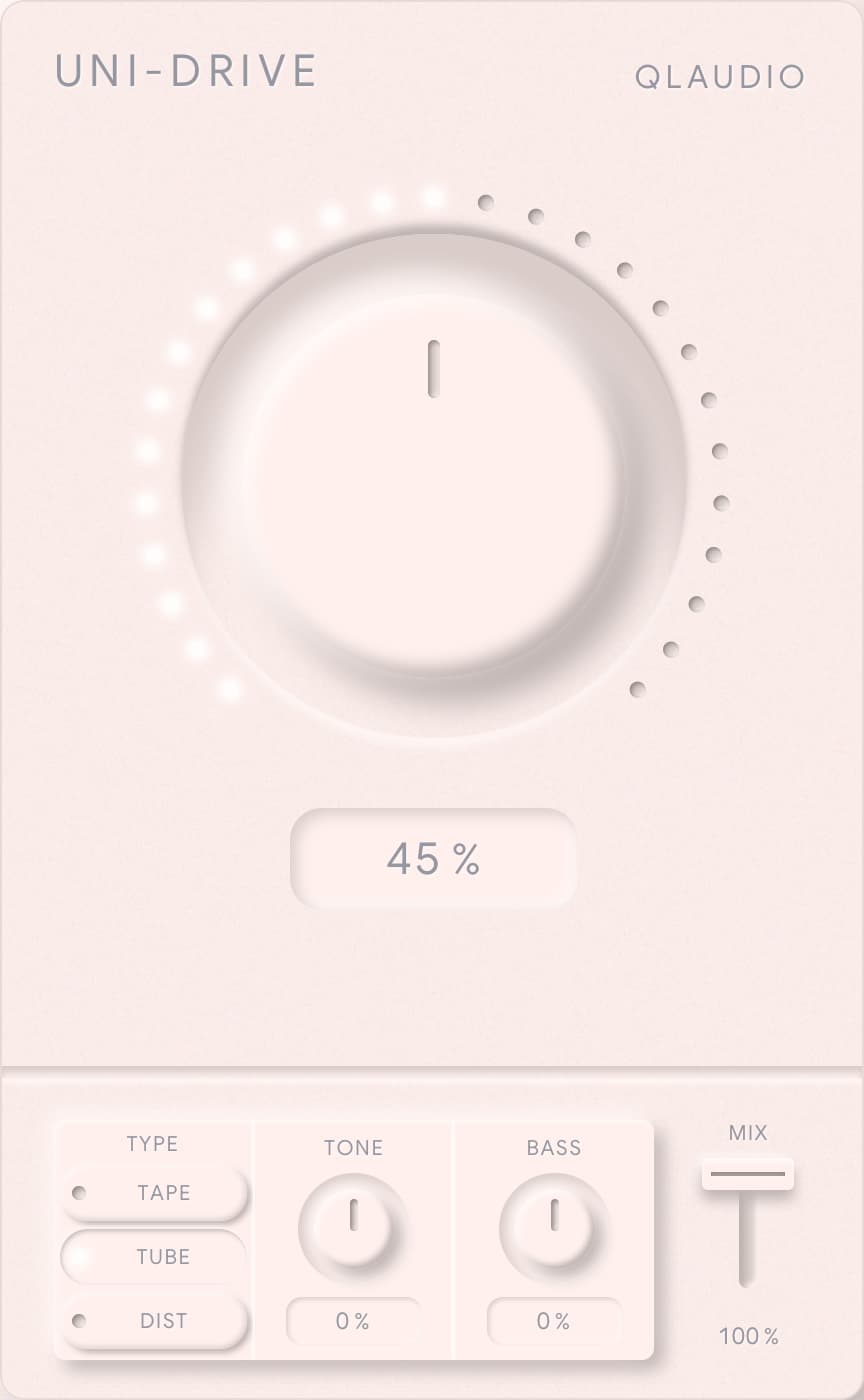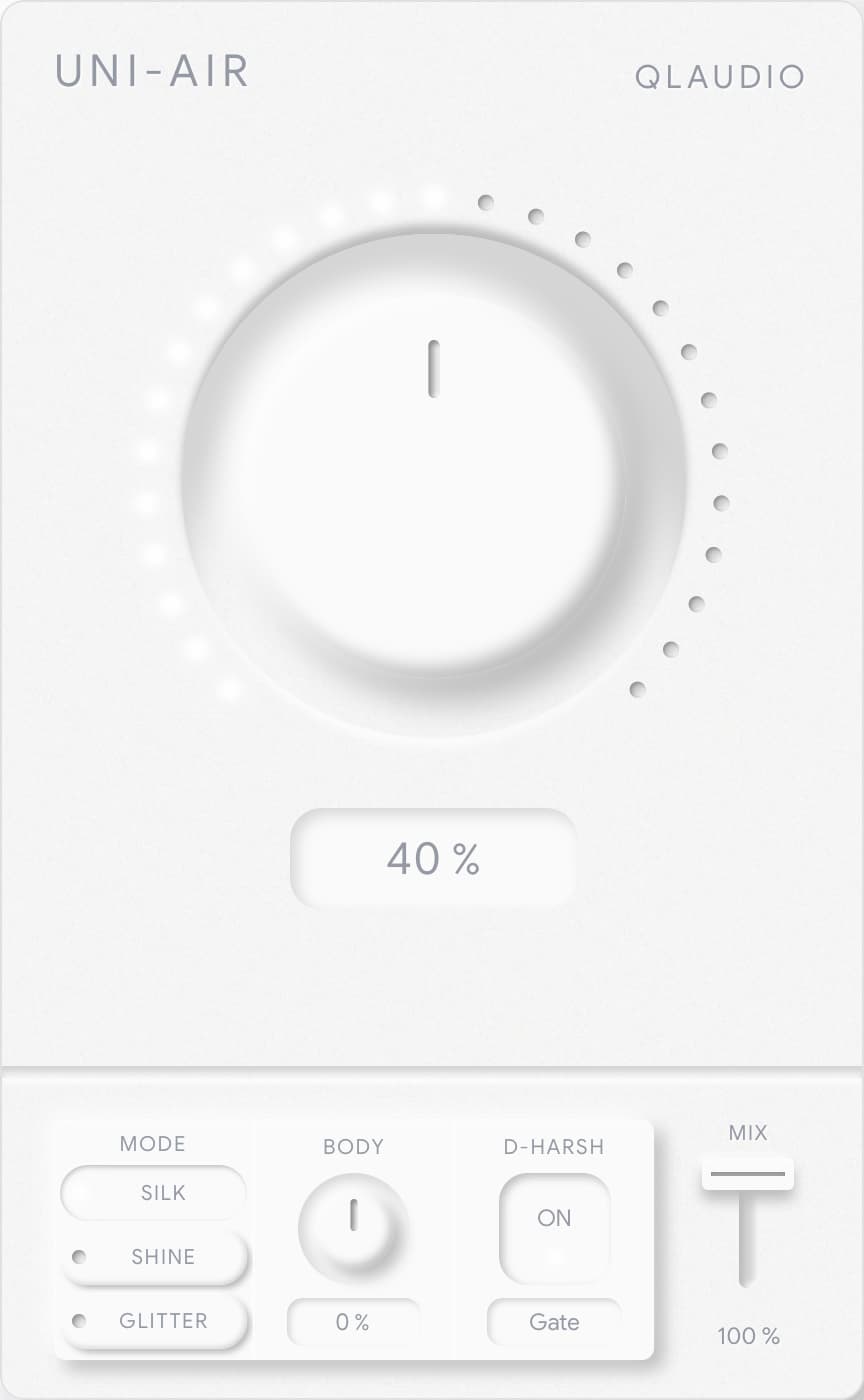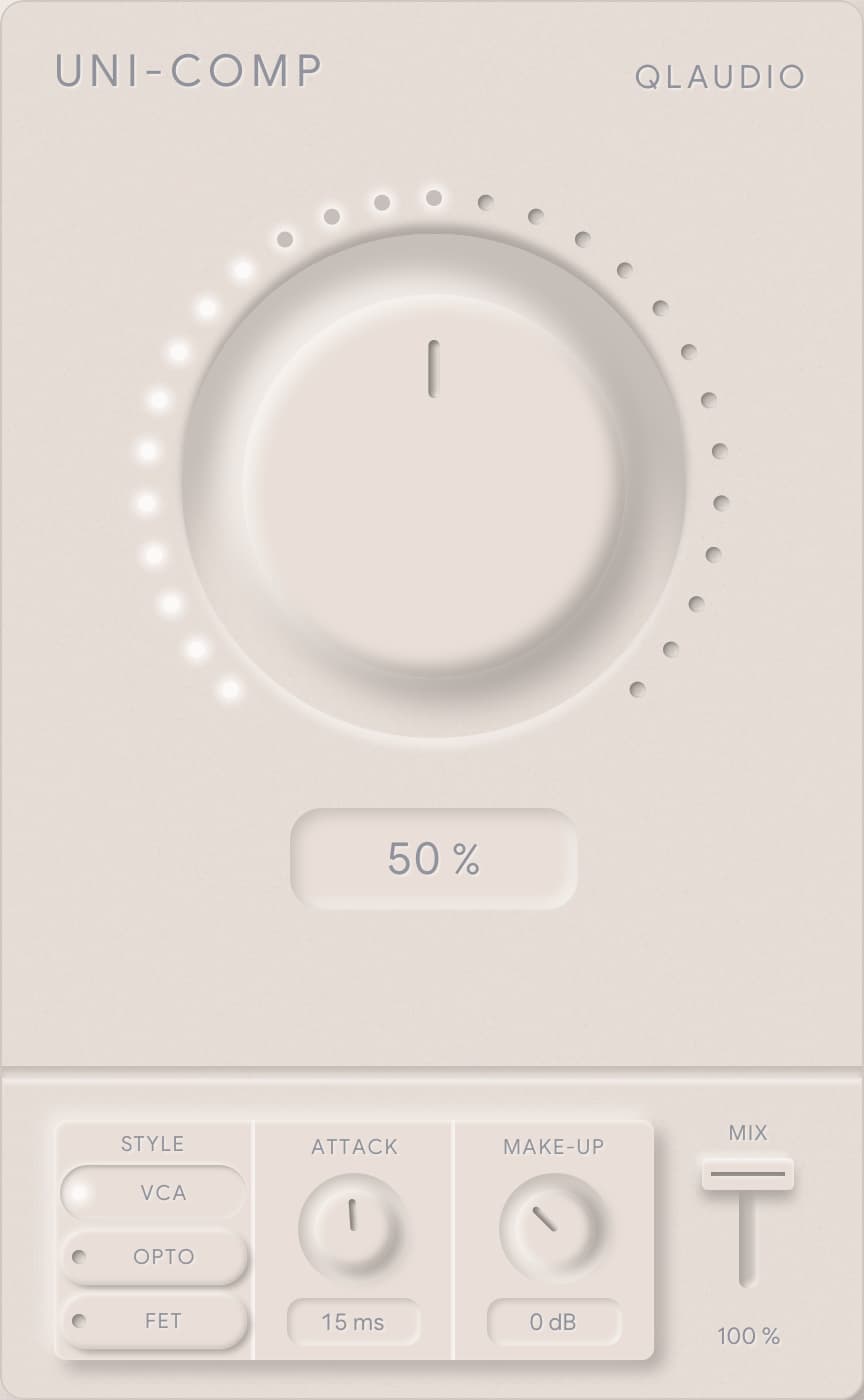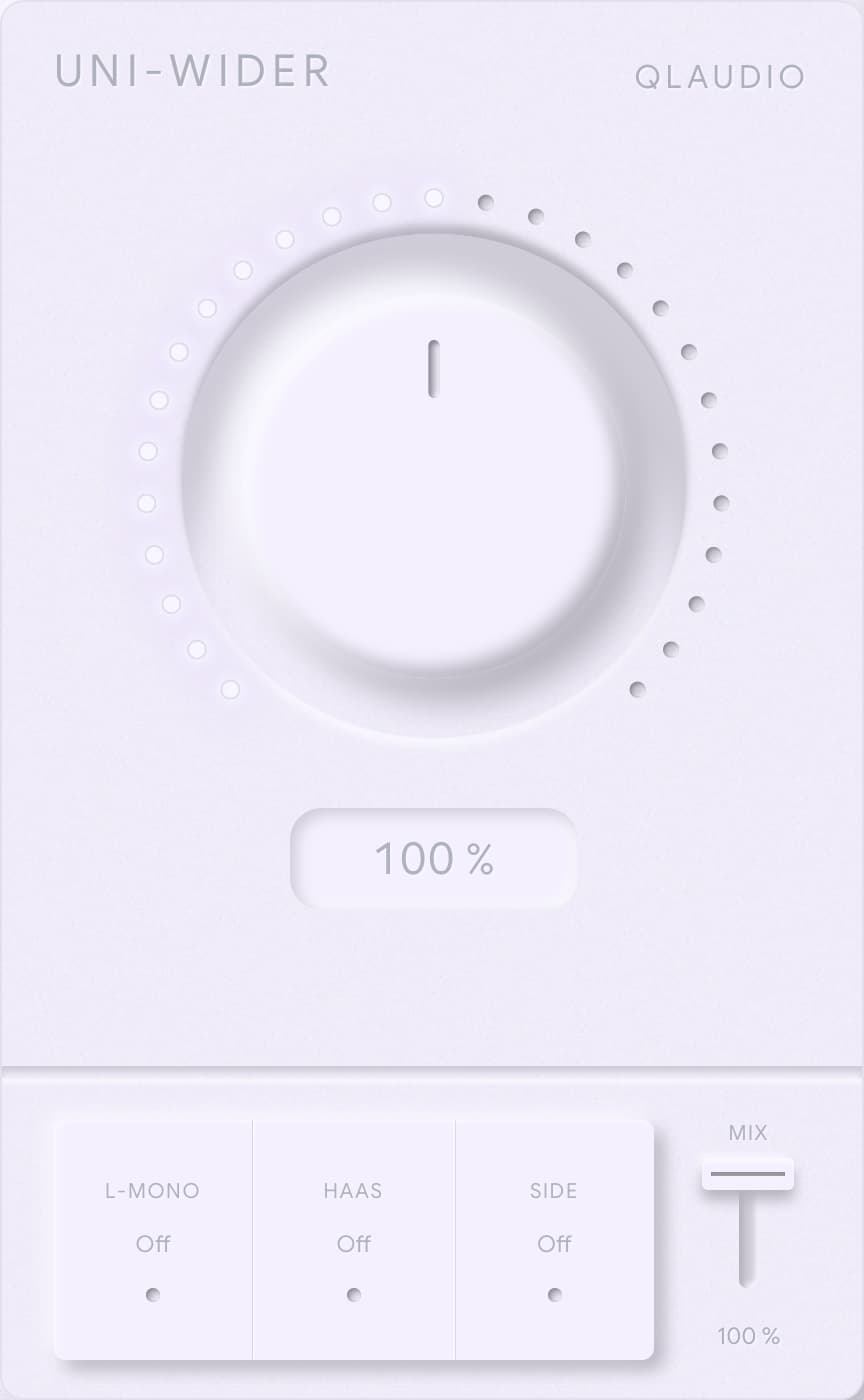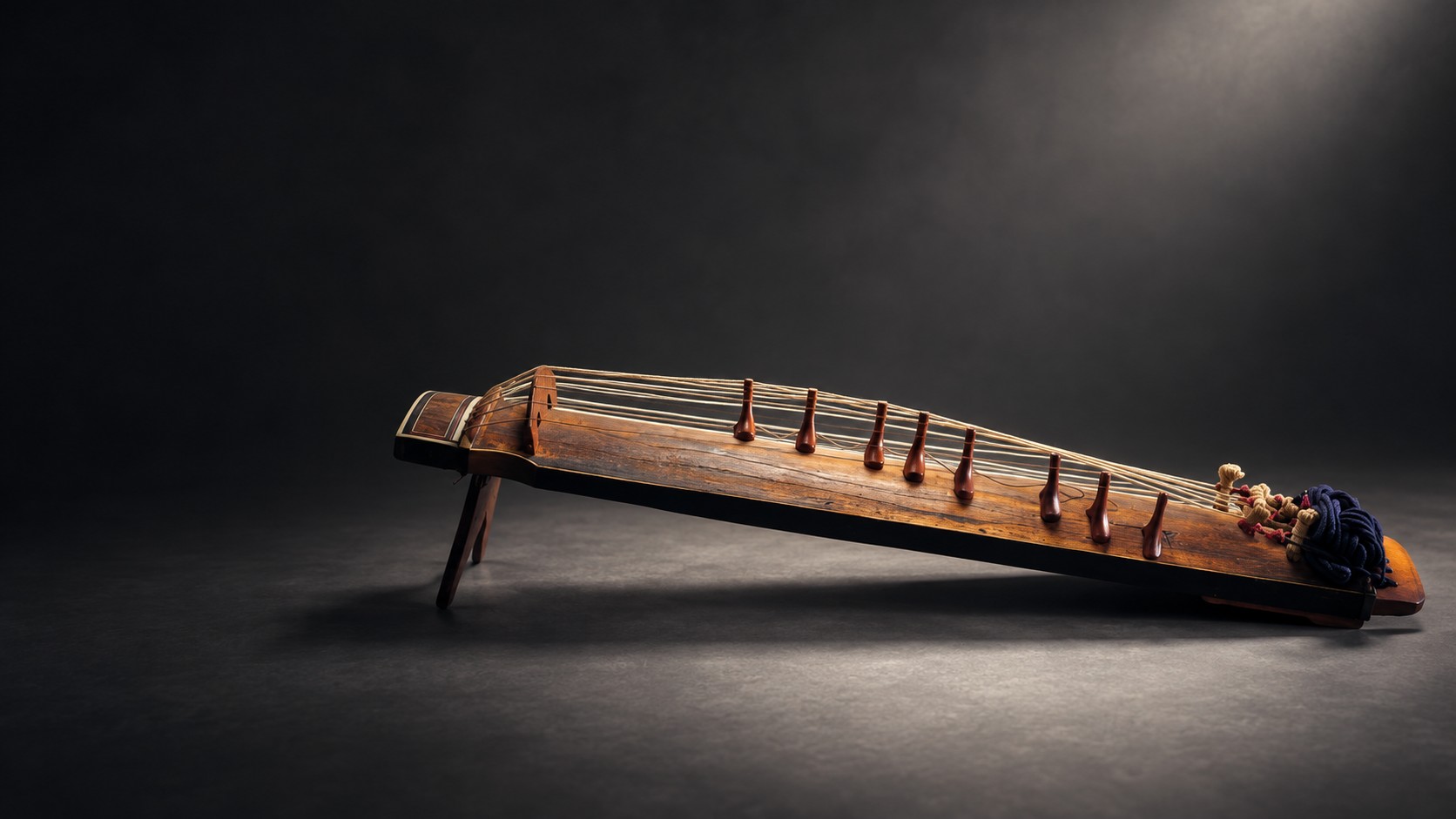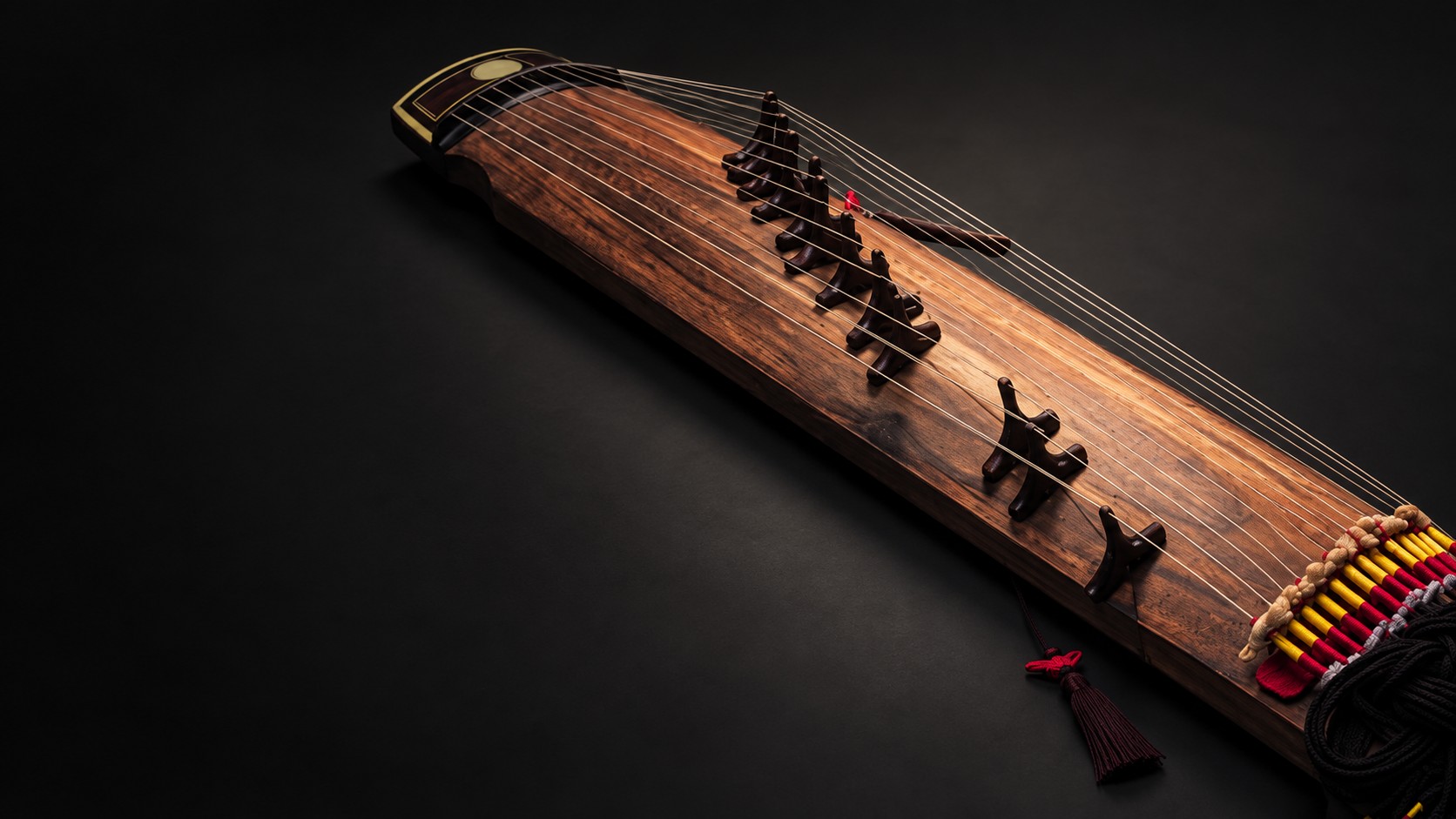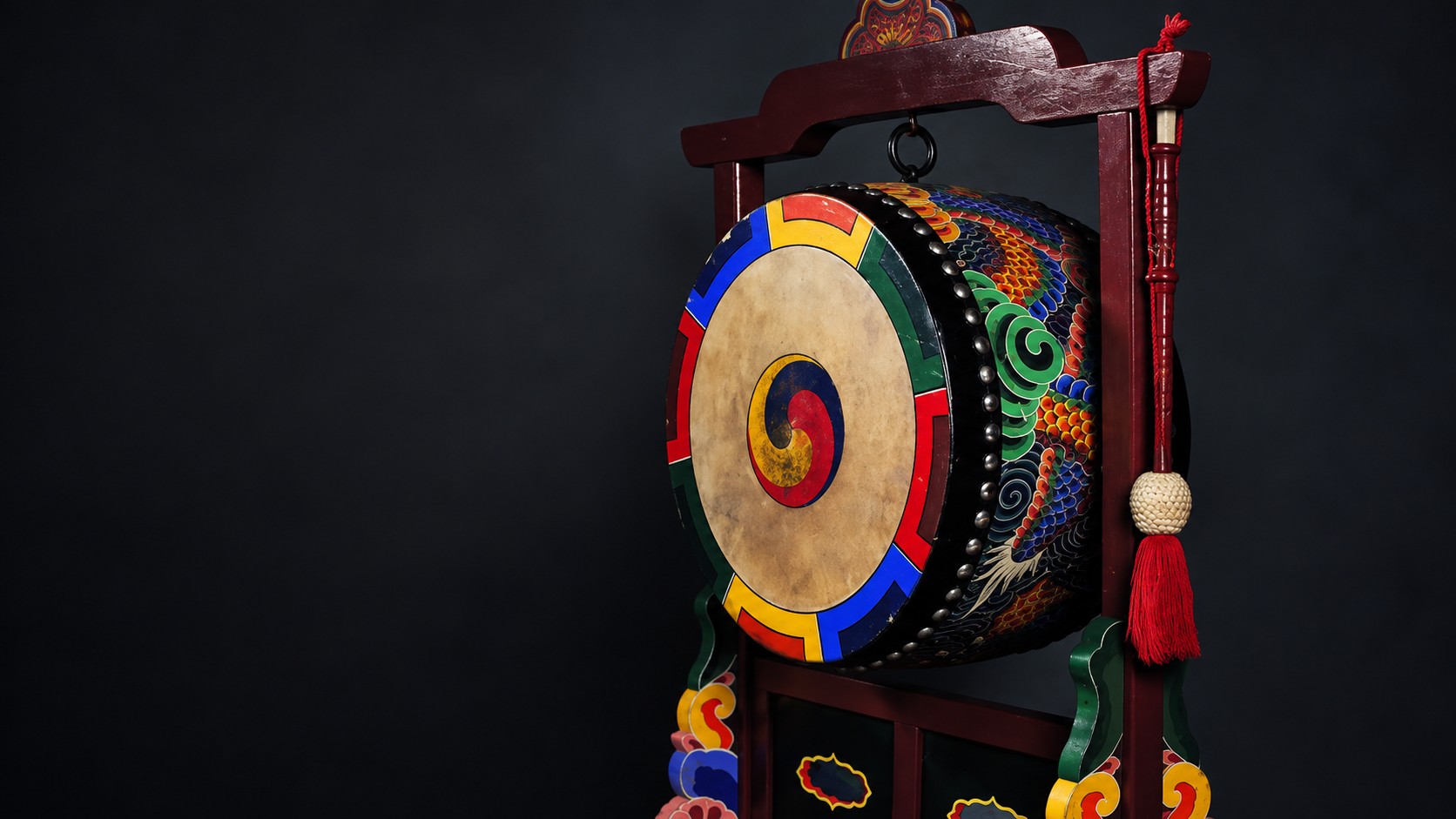




36 authentic instruments
Strings, woodwinds, and percussion from the complete Josun Series, plus the Phrase Expansion Pack.
Produced using officially created audio from
Korea's premier musical institution.
Capturing the breath and soul of
a millennium.
Recorded by state-recognized
master artists.


Sixteen tools. One creative flow.

Focused controls for quick, musical adjustments.
Tone, dynamics, and space in one collection.
AU, VST3 and AAX formats for supported hosts.


Air, sheen, and high-frequency polish without brittle EQ edges.
Reduces aliasing in selected nonlinear stages.
Helps balance output as processing changes.
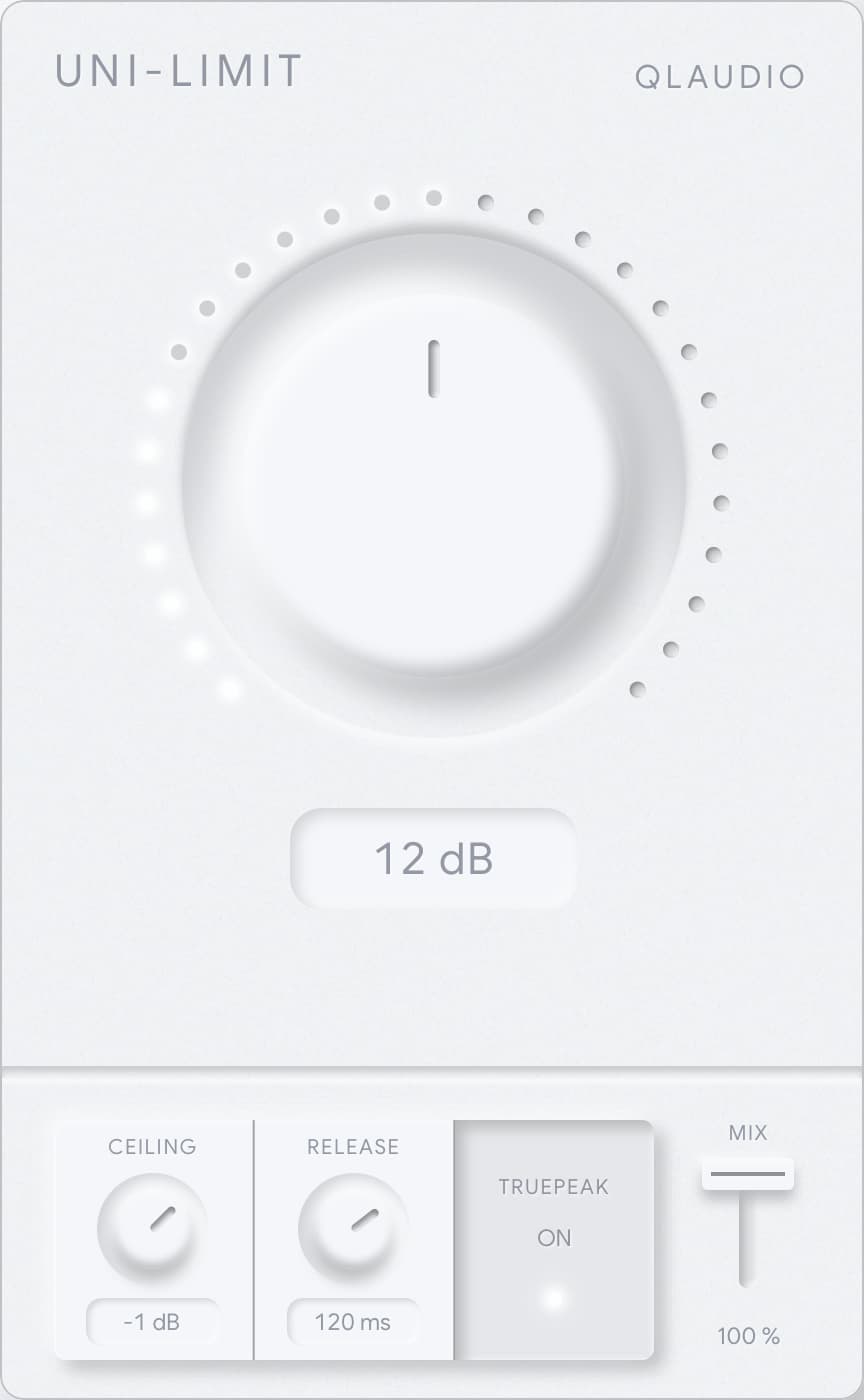
Manages peaks between samples in UNI-LIMIT.
Band alignment for Low Only ducking.
Higher-rate rendering in UNI-AIR and UNI-LIMIT.
Mid/Side width and optional low-end mono in UNI-WIDER.
BPM-synced ducking in UNI-CHAIN.
Ready-to-use starting points across the collection.

Where Korean instruments, recording craft, and music technology meet.
Powering the sound of Korea's most iconic content.
From blockbuster games to chart-topping K-Pop hits.
From installation to license management and technical support.
QLAUDIO is here to ensure your creative flow never stops.

KOREAN INSTRUMENT GUIDE
Listening examples · AI artwork
Two strings, a bow, and a continuous voice.
Listening examples
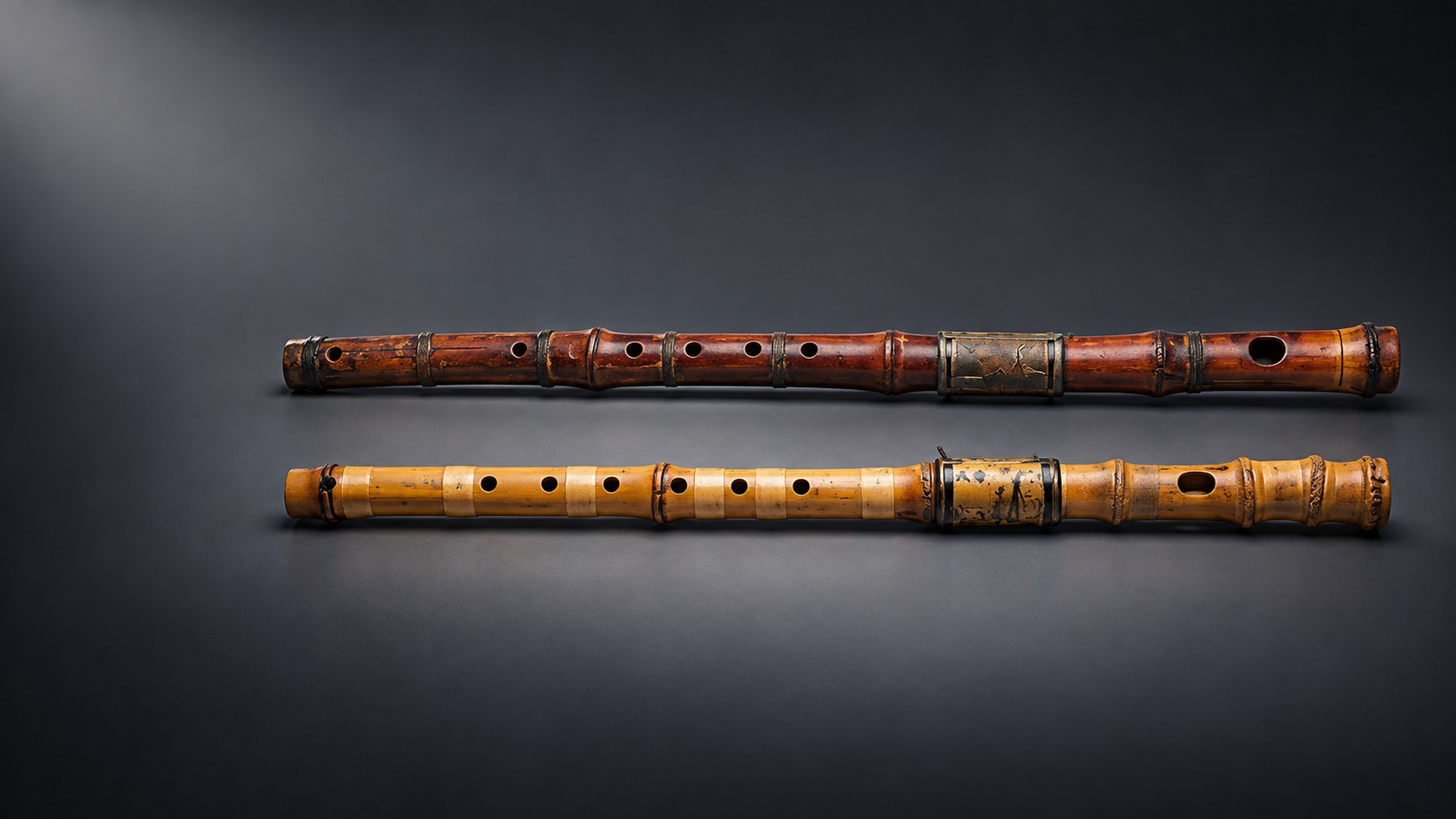
Sanjo daegeum, jeongak daegeum, sogeum, and danso: related materials, distinct construction.
Listening examples · AI artwork
Janggu, buk, jing, and kkwaenggwari, considered individually and together.

Full Collection (36 Inst.)
PRODUCT DETAILS
Strings, woodwinds, and percussion from the complete Josun Series, plus the Phrase Expansion Pack.
Download from My Account, install the free Decent Sampler player, then load the included .dslibrary or .dspreset files.
macOS 10.13+ on Intel and Apple Silicon, or Windows 10+ 64-bit. Use Decent Sampler in a compatible DAW.
One purchase, no subscription. Use the sounds in commercial music and media; redistribution of the source files is not permitted.
From the royal courts to the folk villages. Explore the full spectrum of Korean traditional sound with 36 meticulously sampled instruments.
Each instrument family comes with its own custom-designed interface,
optimized for authentic performance and control.
Deep resonance of silk strings. Control bending notes (Nonghyeon) and sharp attacks with precision.
The breath of nature. Manage expressive vibrato and dynamic airflow for realistic solos.
The heartbeat of tradition. Extensive velocity layers and round-robins for ultimate realism.
Deep, resonant bowed and plucked zithers.
From court majesty to folk
improvisation.


The breath of Korea.
Clear bamboo flutes, piercing reeds, and
meditative
clay vessels.


The heartbeat of tradition.
From massive temple bells to energetic
folk rhythms.


Recorded in high fidelity at the National Gugak Center. Experience the authentic textures, breath, and resonance of Korea's musical legacy.

Useful when a score needs Korean color quickly without forcing traditional tuning issues into a modern arrangement. Equal Temperament tuning helps the instruments blend with pianos, synths, and orchestral layers while preserving their source character.
Built for arrangers who need traditional color that works inside modern DAW sessions. Hand-controlled vibrato (Nonghyeon), round-robin percussion, and organized categories make it feel like a focused Joseon sound palette instead of a scattered sample folder.
The 35+ instrument range supports intimate melodic writing, ambient textures, ritual colors, and cinematic percussion. Polyphonic winds and heavy Korean percussion make it practical for cues that need something distinct from common orchestral or Taiko colors.
Designed to keep a large Korean instrument collection accessible without a heavy setup. Updates such as convolution reverb and no-round-robin options expand the workflow for film, game, and media scoring.
Average tuning and Western-session compatibility make the library easier to place in fusion Gugak, commercials, and hybrid scoring. Key-switched articulations and Poly/Mono modes give composers practical control without slowing down the arrangement.
Powered by the Decent Sampler engine, the collection is designed for Mac and Windows workflows across major DAWs such as Cubase, Logic, and Ableton. It keeps installation and session recall straightforward for media production work.
The expanded playing techniques and rare colors, including instruments such as Banghyang, give composers more ways to build Korean-led arrangements instead of using generic orchestral substitutes.
Useful for composers who want Asian or Korean textures but do not want traditional tuning and articulation details to slow the session down. Instruments such as Gayageum can add immediate identity to fantasy, game, and trailer cues.
Designed to hold presence inside dense arrangements. Cinematic percussion, ritual colors, and bright melodic instruments help add Korean identity to trailer, game, and hybrid orchestral music.
Authentic sounds meet modern workflow.
Fully compatible with the free Decent Sampler platform.
Cross-platform compatibility (Windows, Mac, Linux, iOS). Runs as VST, VST3, AU, and AAX inside supported hosts. No expensive player required.
Access vibrato, bending, glissando, and ornaments instantly using low-octave key switches.
Choose from 9 Reverb types including Cathedral, Chamber, and Plate to place instruments in any space.
Map Mod Wheel (CC#1) to dynamics for expressive performances. Adjust Tone, Density, and Bottom to sculpt your sound.
A comprehensive guide to the Josun Series Phrase Expansion library.
Navigate centuries of musical tradition with these essential notes.
The Josun Series Expansion Pack includes audio sourced from the National Gugak Center's Gugak Digital Audio collection, organized by QLAUDIO as a phrase audio library. Source attribution does not imply endorsement of this product.
36 Instruments. Infinite Inspiration. One Bundle.
Buy Now - $249.00 $499.00 (Save $250.00)QLAUDIO UNI-VERSE SERIES
Air, sheen, and high-frequency polish without brittle EQ edges.
PRODUCT DETAILS
The complete collection covers tone, dynamics, space, width, creative movement, and utility as one connected system.
Purchase the $129 launch-price collection and use your QLAUDIO account to access downloads and activation.
Supports AU, VST3, and AAX plug-in formats.
The $129 launch price brings the full UNI-VERSE processor collection together.
THE ONE-KNOB WORKFLOW
UNI-VERSE is a software plug-in bundle delivered by download. These images are concept artwork, not physical products. No physical shipping.


THE CORE IDEA
Start with each plugin's main control, then refine the result with dedicated parameters and Mix. Listen and choose the settings that work for your material; UNI-VERSE does not analyze your music or automatically discover an optimal mix.
Each processor has a focused main control and its own dedicated parameters. Use those controls to shape the sound, then adjust Mix to blend the original and processed signal.
Start with the main control for the effect you need, then listen before refining the dedicated parameters.
Each plug-in provides controls suited to its task. The main control does not replace every parameter or choose the right settings for you.
You can make decisions by listening instead of studying technical controls first. The dedicated parameters and Mix remain available when you want to refine.
BEHIND THE CONTROLS
The details are in the DSP.
Your focus stays on the music.
From the first adjustment to the final bounce.
More character. Less unwanted digital aliasing.
Selected nonlinear stages in UNI-DRIVE and UNI-AIR combine two approaches to aliasing reduction, working where the harmonics are created.
UNI-DRIVE / Explore the DSPHigher-rate rendering in UNI-AIR and UNI-LIMIT.
Dedicated realtime and offline paths adapt internal processing to the session and the final export, when supported by your DAW.
UNI-AIR / Explore the DSPShape the effect.
Chase the level less.
Automatic makeup follows the compression. Fine-tune the output by ear, without starting every level adjustment from scratch.
A wider image.
A considered centre.
Mid/Side width, optional low-end mono and correlation-aware protection. More than simply turning up the Side signal.
Output care.
Between the samples.
Enable True Peak to combine oversampled limiting and lookahead with protection that considers inter-sample peaks.
Split. Process. Blend.
The path matters.
Low Only ducking uses a Linkwitz-Riley crossover and phase-aware transitions, considering how the bands come back together.
Oversampling and ADAA in selected nonlinear stages of UNI-DRIVE and UNI-AIR help reduce aliasing. Automatic gain compensation in UNI-COMP and UNI-DRIVE helps manage level changes; this is not LUFS matching.
UNI-WIDER combines Mid/Side processing, optional low-end mono and correlation protection. Always check mono compatibility. With True Peak enabled, UNI-LIMIT combines oversampling, lookahead and output protection to manage inter-sample peaks.
UNI-AIR aligns the dry path with processing latency. UNI-CHAIN uses a Linkwitz-Riley crossover and phase-aware transitions for Low Only ducking.
The 16× offline paths apply to UNI-AIR and UNI-LIMIT, not every UNI-VERSE processor. UNI-AIR uses 4× realtime; UNI-LIMIT uses 8× realtime with True Peak enabled. Offline switching follows your DAW's non-realtime render notification.
Processing varies by plug-in, mode and host. These designs reduce specific risks; they do not guarantee alias-free audio, perfect mono compatibility or clip-free output after further processing or encoding.
WHY IT FEELS FAST
UNI-VERSE is designed around the moment when you know what the sound needs, but do not want to stop the session to rebuild a full plug-in chain. Move the macro, then refine only if the track asks for it.
Drag the knob to explore this visual illustration. These meters do not represent actual plug-in controls, audio analysis, or automatic parameter adjustment.
IN THE SESSION
Sixteen plug-ins. Original and processed.
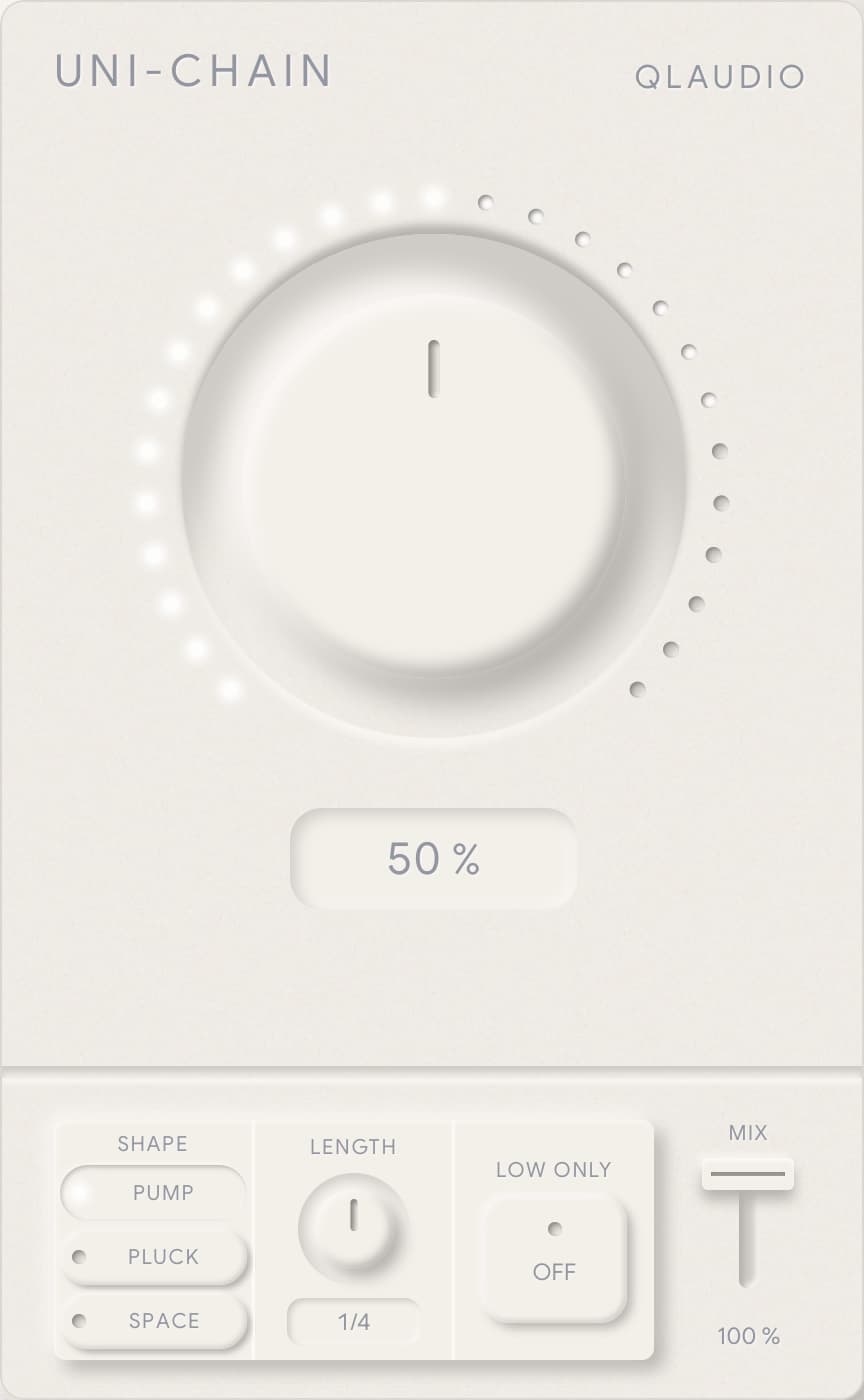
Space, Pluck, and Pump shapes turn the level envelope into a rhythmic part of the arrangement.
THE LINEUP
Start with each plugin's main control, then refine the result with dedicated parameters and Mix.
This video is an AI-generated visual concept created to help explain the audio processing, and is not the actual operating screen of the plug-in.
Use it when a vocal, synth, acoustic instrument, or full mix needs expensive top-end shine without becoming sharp or brittle.
This video is an AI-generated visual concept created to help explain the audio processing, and is not the actual operating screen of the plug-in.
Use it when kicks, basses, 808s, or cinematic hits need more physical weight without piling muddy EQ into the low mids.
This video is an AI-generated visual concept created to help explain the audio processing, and is not the actual operating screen of the plug-in.
Use it when a clean vocal, drum loop, bass, or synth feels too flat and needs analog-style heat, weight, or edge.
This video is an AI-generated visual concept created to help explain the audio processing, and is not the actual operating screen of the plug-in.
Shape compression with Amount, choose VCA, OPTO, or FET character, and refine the result with Attack, Make-Up Gain, and Mix.
This video is an AI-generated visual concept created to help explain the audio processing, and is not the actual operating screen of the plug-in.
Use it when a demo, beat, stem, or quick master needs louder playback level while keeping peaks controlled and the mix intact.
This video is an AI-generated visual concept created to help explain the audio processing, and is not the actual operating screen of the plug-in.
Use it when vocals, dialogue, or bright ad-libs have painful S sounds but still need to keep clarity and presence.
This video is an AI-generated visual concept created to help explain the audio processing, and is not the actual operating screen of the plug-in.
Use it when vocal takes, drum recordings, guitar tracks, or noisy samples need cleanup between phrases without chopping off the musical tail.
This video is an AI-generated visual concept created to help explain the audio processing, and is not the actual operating screen of the plug-in.
Use it when drums, percussion, guitars, or plucked sounds need more punch, softer attack, tighter decay, or longer sustain.
This video is an AI-generated visual concept created to help explain the audio processing, and is not the actual operating screen of the plug-in.
Use it when bass, pads, vocals, or effects need to move around the groove and create pocket without setting up sidechain routing.
This video is an AI-generated visual concept created to help explain the audio processing, and is not the actual operating screen of the plug-in.
Use it when a vocal, instrument, drum, or sound design layer needs space fast, from a tight room to a wide hall, without opening a complex reverb page.
This video is an AI-generated visual concept created to help explain the audio processing, and is not the actual operating screen of the plug-in.
Use it when vocals, guitars, synths, or transitions need rhythmic repeats, stereo depth, or tape-style movement that sits behind the source.
This video is an AI-generated visual concept created to help explain the audio processing, and is not the actual operating screen of the plug-in.
Use it when synths, backing vocals, buses, or quick masters need more width while the low end stays focused and mono compatibility remains easy to check.
This video is an AI-generated visual concept created to help explain the audio processing, and is not the actual operating screen of the plug-in.
Use it when a static sound needs motion, width, shimmer, wobble, or rhythmic movement without loading separate modulation plug-ins.
This video is an AI-generated visual concept created to help explain the audio processing, and is not the actual operating screen of the plug-in.
Use it when vocals, samples, or instruments need quick pitch movement, formant color, octave effects, or creative character shifts.
This video is an AI-generated visual concept created to help explain the audio processing, and is not the actual operating screen of the plug-in.
Use it when a sound is too clean and needs lo-fi texture, old digital color, bandwidth loss, or controlled degradation.
This video is an AI-generated visual concept created to help explain the audio processing, and is not the actual operating screen of the plug-in.
Manage signal level, invert polarity, swap left and right channels, and check mono compatibility.
AVAILABLE NOW
Get the complete UNI-VERSE collection for macOS and Windows, with AU, VST3, and AAX plug-in formats.
One complete bundle for macOS and Windows in AU / VST3 / AAX formats.
Included togetherBundle average across all 16 UNI-VERSE processors.
Buy UNI-VERSEPRODUCT INFO
UNI-VERSE is available now as a 16-plug-in bundle for macOS and Windows, with AU, VST3, and AAX formats.
Concept artwork for a software bundle. Digital download only; no physical product or shipping.
From installation to license management and technical support.
QLAUDIO is here to ensure your creative flow never stops.
Account access, licenses, and purchase policy. Product-specific setup guidance is available on each product page.
MY ACCOUNT & LICENSE
Use the email address from your purchase. We will send a secure 6-digit verification code to your inbox, so no password is required. After signing in, you can view your purchases, license keys, and available downloads in My Account.
Purchases are matched to the email address used for the order. Sign in with that address. If you no longer have access to it, contact with your order details.
Confirm that you signed in with the same email address used for the purchase. Newly completed orders may take a short time to appear. If the product is still missing, contact support with your order number.
Your license key is shown in My Account and is also sent in your license delivery email. Keep it private and do not share it with others.
Sign in to My Account, enter your one-time redeem code in the Redeem Code section, and the product will be added to your library. A redeemed, expired, or blocked code cannot be used again.
PURCHASE & LICENSE POLICY
Yes, absolutely. All QLAUDIO products come with a 100% Royalty-Free
commercial license. You can use them in music releases, films, games, broadcasting,
and online content without additional fees or copyright reporting.
However, selling, redistribution, or repackaging of the sounds or files
themselves is strictly prohibited. You also cannot use this product to develop
competitive software or resell the license.
Currently, QLAUDIO products are sold as Perpetual (Lifetime) Licenses. A single purchase grants you unlimited rights to use the product forever. There are no monthly fees or hidden subscriptions.
We do not strictly limit installation on your own personal devices. However, installing on public or shared computers, such as classrooms or rental studios, is prohibited. Sharing your license key, unauthorized distribution, resale, or uploading installation files to the internet is strictly forbidden.
Due to the nature of digital commodities, refunds are generally not possible once the product has been downloaded or license issued. However, if you experience technical issues that prevent the product from functioning, please contact our support team for resolution.
Please note that refunds and cancellations are not possible after payment is completed. Please purchase carefully.
Unlock your melodic potential.
5 Genres. 600 MIDI Files. 100% Royalty-Free.
PRODUCT DETAILS
The bundle includes 600 editable MIDI files and 600 matching audio references across five distinct writing moods.
Download from My Account, unzip the files, then drag the MIDI into your DAW and choose the instrument sound you want to use.
Works on macOS and Windows in major DAWs that import Standard MIDI Files, including Logic Pro, Ableton Live, Cubase, Studio One, Reaper, and FL Studio.
One purchase, no subscription. Use the MIDI in commercial releases; do not redistribute or resell the original files.
Every file contains Chord Progression, Key, and BPM metadata
clearly labeled.
Instance usability without guesswork.
Total Editing Freedom. Change instruments, tweak notes,
velocity,
and tempo without any audio artifacts.
Unlike loops, you control the performance details.
Pay Once, Use Forever.
No subscriptions, no recurring fees. 100% Royalty-Free for your commercial music
releases.
Useful when a session needs a strong piano idea before the writing momentum disappears. The filenames show key, BPM, and chord movement quickly, so arrangement can start without a long search phase.
K-Pop ProducerUnlike fixed audio loops, editable MIDI gives the musical starting point while leaving instrument choice, tempo, voicing, and rhythm open for the producer's own track.
R&B / Soul ProducerThe packs are suited for sketching a verse, pre-chorus, or emotional bridge quickly. They are organized by musical mood, not only by file count, which makes them easier to use in real writing sessions.
Singer-SongwriterThe progressions can work as harmonic references before rewriting toplines, bass movement, and arrangement details. It is a fast way to get past the blank page without sounding like a generic MIDI loop.
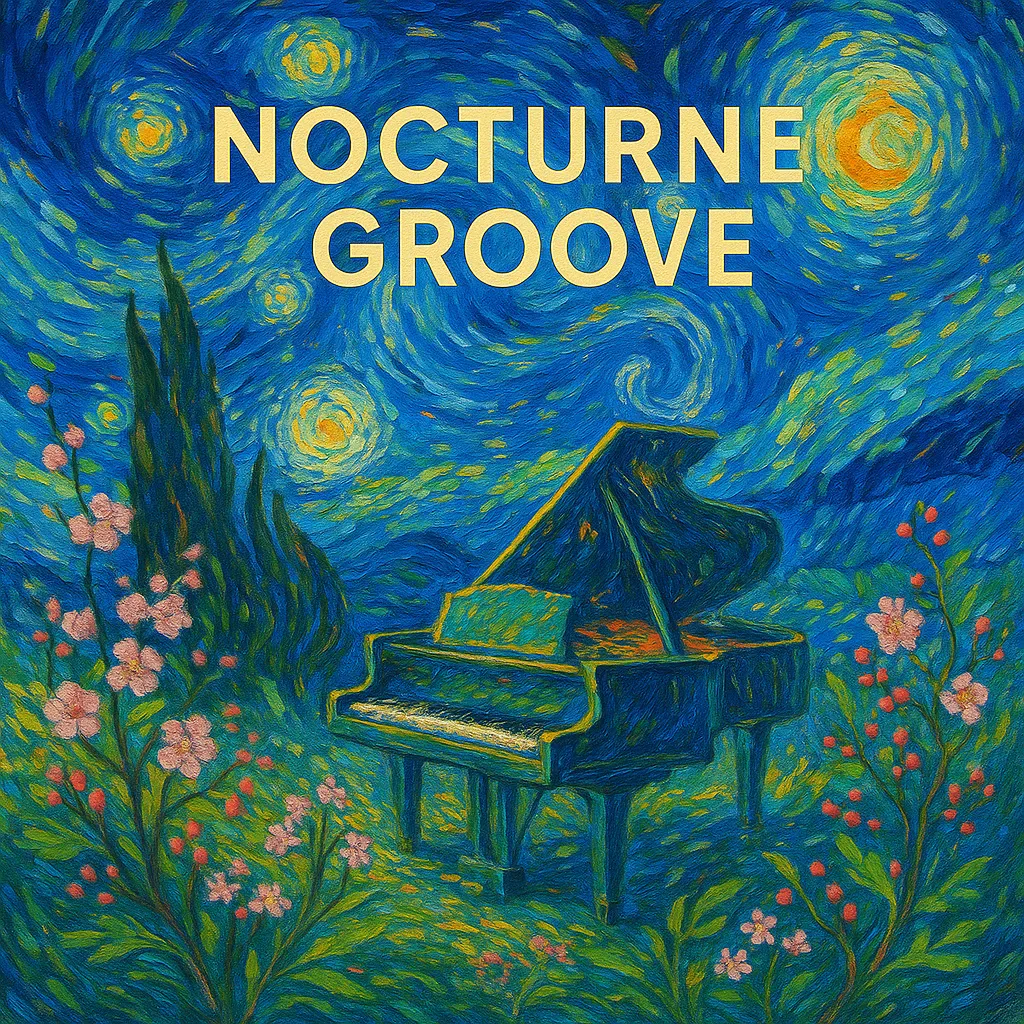
Film & Media ComposerNocturne Groove, Tokyo Sky, and Atelier Metropole each have a different personality while keeping the same workflow. Ideas can move quickly into piano, synth, guitar, or hybrid production sounds.
BeatmakerThe royalty-free license and editable MIDI format make the pack practical for paid work. Cues can be built quickly, revised for client notes, and kept free from the artifacts that come with stretched audio samples.
Commercial Music CreatorCurated for your musical narrative.

Vibe of Nujabes & DJ Okawari. Urban melodies of J-Jazz Hiphop.


Anomalie, FKJ style. Sophisticated Neo Soul & Jazz grooves.


J-Jazz Hiphop
Anime-style J-Core
Neo Soul & Jazz
Pop & R&B
Trendy R&B/Soul
You can access your purchase history, license key, and download links anytime via My Account in the top-right menu of our site. Sign in with the same email address used for your purchase.
Yes, absolutely. All QLAUDIO products come with a 100% Royalty-Free
commercial license.
You can use them in music releases, films, games, broadcasting, and online content
without any additional fees or copyright reporting.
However, selling, redistribution, or repackaging of the
sounds/files themselves (e.g., as a sample library or virtual instrument) is strictly
prohibited. You also cannot use this product to develop competitive software or resell
the license.
Currently, QLAUDIO products are sold as Perpetual (Lifetime) Licenses. A single purchase grants you unlimited rights to use the product forever. There are no monthly fees or hidden subscriptions.
We do not strictly limit installation on your own personal devices. However, installing on public or shared computers (e.g., classrooms, rental studios) is prohibited. Sharing your license key, unauthorized distribution, resale, or uploading installation files to the internet is strictly forbidden and subject to legal action.
Due to the nature of digital commodities, refunds are generally not possible once the product has been downloaded or license issued. However, if you experience technical issues that prevent the product from functioning, please contact our support team for resolution.

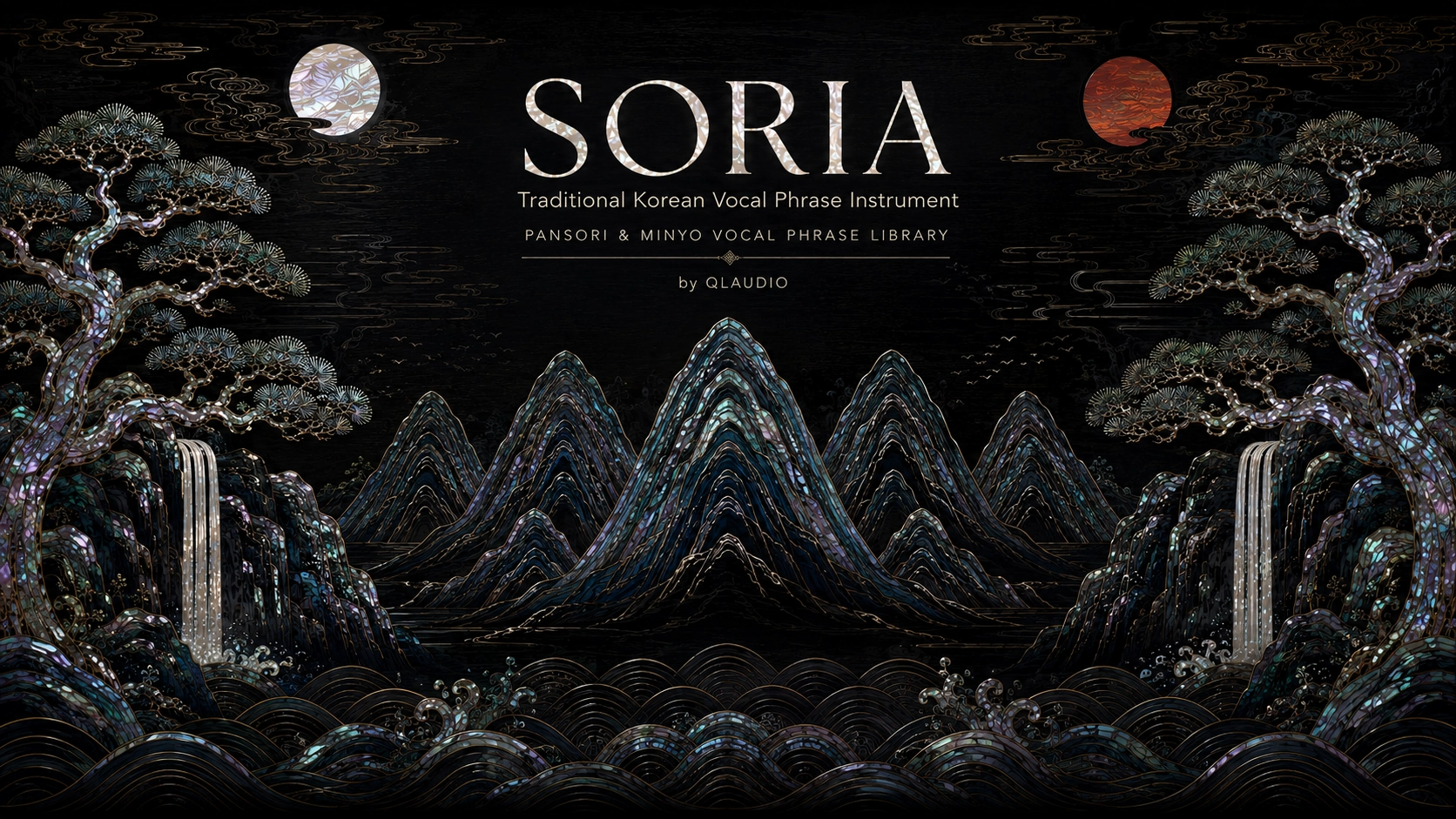
KOREAN VOCAL PHRASES, READY TO PLAY
SORIA keeps recorded vocal material close to the act of writing. Find a phrase, trigger it from your keyboard, then shape its entrance, release, transition, and intensity as the arrangement takes form.
Designed for composition, scoring, hybrid production, and contemporary music, it brings a focused Korean vocal palette into a playable workspace.
FIND. PLAY. SHAPE.
Browse vocal material using Korean text, English descriptions, romanization, and favorites.
Use the keyboard to select and perform recorded phrases in the context of your cue or song.
Control entrances, releases, transitions, and expressive detail to support the arrangement.

PHRASE PERFORMANCE
Divide a selected vocal phrase into smaller segments, then advance them with repeated presses of the same key. Hold a pause, push an accent, and let the next part arrive when the music asks for it.
SPLIT THE PHRASE. PERFORM THE TIMING.
Divide a vocal phrase into smaller segments and play them in sequence with repeated presses of the same key. Leave room for pauses, accents, and your own musical timing.
Each repeated key press advances the selected phrase sequence. The player decides the timing.
VOCAL WORLDS
SORIA is centered on recorded pansori and minyo vocal material, prepared for musical use without reducing it to a generic texture. Each phrase is a starting point for timing, color, and expression inside a larger work.
EXPRESSION IN CONTEXT
Use the Pitch Wheel to adjust the pace of a phrase and respond to the energy of the arrangement.
Bring the voice forward or let it fall back with expression control while it is playing.
Refine how a phrase begins and ends so it connects with the music around it.
Move from vocal detail toward tone, motion, and space with built-in sound-shaping tools.
INSIDE SORIA
Search through material with Korean text, English descriptions, and romanization available together.
Keep frequently used material close with browsing tools and favorites built for repeat writing sessions.
Keep phrase choices and expressive decisions visible while moving from an initial idea to a finished part.
LISTEN
Listen to SORIA in context before release. More product details and demonstrations will be published as the instrument approaches launch.
Coming SoonBEFORE YOU BEGIN
System requirements, supported hosts, installation details, and the complete product specification will be available before SORIA is released.
View User ManualFAQ
SORIA is a playable Korean traditional vocal phrase instrument built around recorded pansori and minyo vocal material.
Select vocal material, trigger phrases from your keyboard, and shape their behavior with performance controls.
Selected phrases can be divided into smaller segments and advanced with repeated presses of the same key, so you can decide when each part enters.
It can shape the pace of phrase playback rather than treating the material as a conventional pitched vocal instrument.
Browsing is designed to bring Korean text, English descriptions, and romanization together where available.
The keyboard is used to select and perform recorded phrases. It does not turn each phrase into a conventional pitched vocal instrument.

SORIA BY QLAUDIO
This virtual instrument was developed by QLAUDIO using source audio recordings and annotation data for pansori and Korean folk songs (minyo) from the cultural AI training datasets provided by the Korea Culture Information Service Agency (KCISA).
The data has been edited and processed in accordance with the supplied terms of use. The original audio sources are acknowledged below.
Audio use and commercial distribution of this product are subject to the terms of KOGL Type 1.
DESKTOP SOFTWARE / 1.0.0
Audio Conversion & Processing
Free: unlimited basic audio conversion. Pro: professional processing and advanced tools. Same app, unlocked by your license.
Start free with the unified installer. Pro adds up to 8 workers, batch Peak and LUFS normalization, and processing reports.
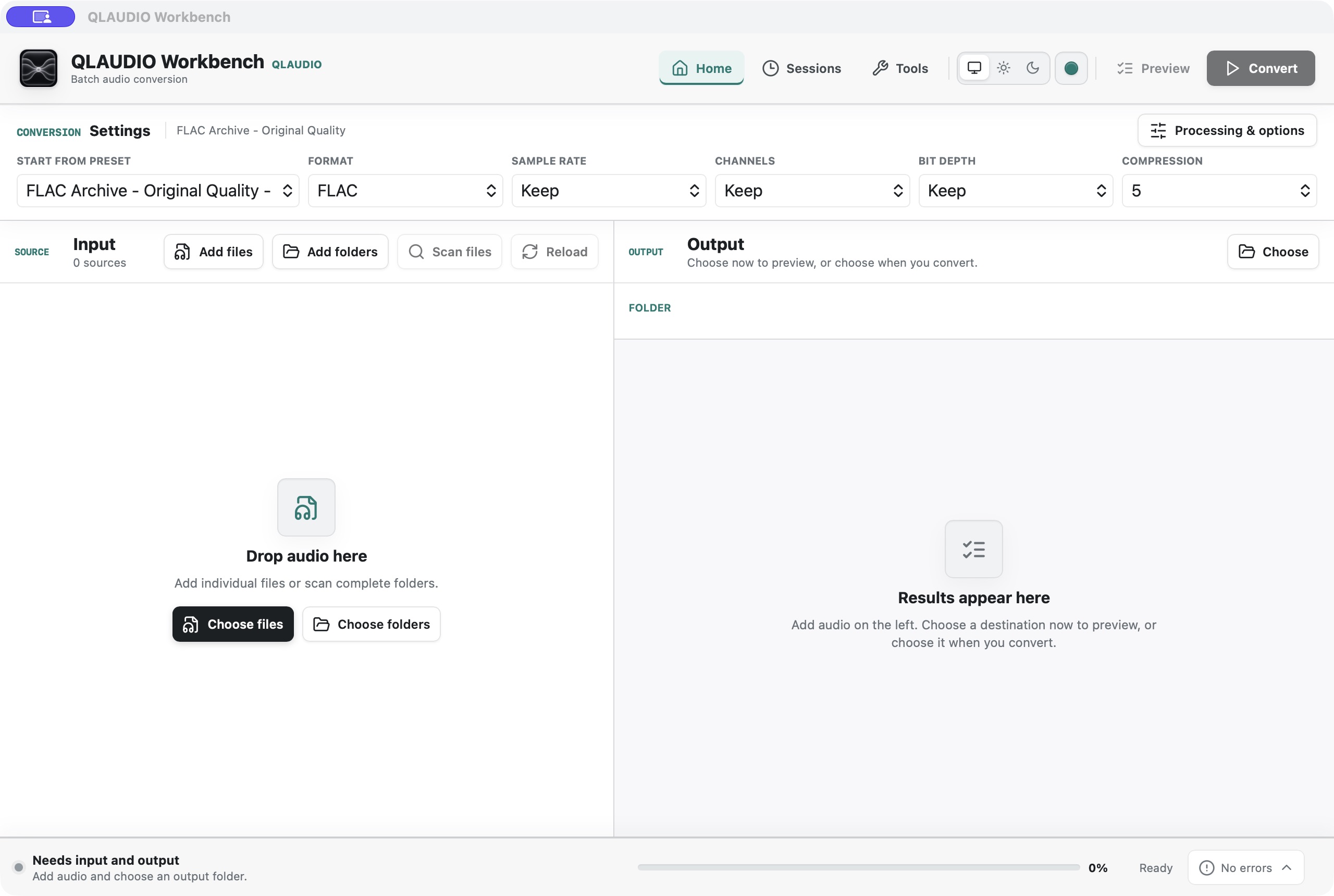
ONE APP. TWO TIERS.
The same Workbench app runs as Free or Pro. The unified installer starts in Free mode. After buying Pro, choose Activate Pro in Workbench and sign in with the email you used at checkout. No separate Pro installer is required.
Workbench Free: unlimited basic conversion with 1 Worker, no account or license required. macOS 15+ / Apple Silicon and Windows x64.
FREE
$0 Free forever
All the audio conversion you need, without limits. No file-count limit for basic conversion.
Available Now · 1 Worker · macOS 15+ / Apple Silicon · Windows x64
PRO
Checking price…
Prices exclude tax. Applicable taxes are added at checkout.
Level, split, organize and report on larger audio libraries. All in the same app.
Coming Soon
Process more files in parallel than Free's single worker. Actual speed depends on hardware and workload.
Apply a consistent peak or loudness target across a batch of files.
Export JSON and CSV reports to review completed files and processing issues.
| Feature | FreeEssential conversion. Without limits. | ProLevel, split, organize. Detailed reports, too. |
|---|---|---|
| Basic Audio Conversion | Unlimited | Unlimited |
| WAV / AIFF / FLAC / ALAC / MP3 / AAC / OGG | Included | Included |
| Single / Multi-file Conversion | Included | Included |
| Folder / Recursive Folder Processing | Included | Included |
| Sample Rate Conversion | Included | Included |
| Bit Depth Conversion | Included | Included |
| Channel Conversion | Included | Included |
| Format-specific Bitrate / Quality Controls | Included | Included |
| SWR Standard Resampling | Included | Included |
| SWR High Resampling | Not included | Included |
| Very High / Mastering Resampling | Not included | Included |
| SoXR High-quality Resampling | Not included | Included |
| Dither Auto / Off | Included | Included |
| Advanced Dither Algorithms | Not included | Included |
| Noise-shaping Dither Selection | Not included | Included |
| Peak Normalization | Not included | Included |
| LUFS Normalization | Not included | Included |
| Parallel Processing | 1 worker | Up to 8 workers |
| Basic Presets | Included | Included |
| Locally Saved Custom Presets | Included | Included |
| Basic Naming / Folder Structure | Included | Included |
| Metadata Handling | Included | Included |
| Conversion Preview / Storage Estimates | Included | Included |
| Retry / Resume / Session Recovery | Included | Included |
| Pause / Cancel / Safe Close | Included | Included |
| File Safety / Collision Protection | Included | Included |
| Diagnostics / Basic Failed-files CSV | Included | Included |
| Duplicate Finder | Not included | Included |
| Detailed JSON / CSV Reports | Not included | Included |
| Split by Silence | Not included | Planned |
Source protection, safe temporary output, collision protection, essential diagnostics and recovery are shared by both tiers. Pro is not a safer version of Free. Custom presets and recovery retain the permissions required by their processing settings. Duplicate Finder identifies byte-identical files; it does not delete originals. SoXR availability depends on the supported tool configuration.
BUILT FOR REAL LIBRARIES
Scan nested recording folders and keep the source structure visible from input to output.
QLAUDIO Workbench writes and verifies a temporary result before committing a finished file. Source audio is never the output target.
Check the resulting format, sample rate, channels, metadata, file size, and job status instead of trusting requested settings alone.
DESKTOP DOWNLOADS
Start in Free mode. After buying Pro, choose Activate Pro in Workbench and sign in with the email you used at checkout.
Windows x64 · MSI · Microsoft Edge WebView2 Runtime required
Verified on Windows 11 Home 25H2 (build 26200), upgrading from Workbench Free 1.0.0. Minimum Windows version not yet confirmed.
Basic conversion remains free. A Pro license unlocks up to eight workers, Peak and LUFS normalization, and advanced resampling and dither in the same app.
This update automatically returns a remotely deactivated device to Free mode and lets you activate Pro again on the same device. Install it over the existing unified version.
Release notes · SHA-256 checksums
macOS third-party notices · macOS corresponding source · Windows notices and corresponding source
Original Free installers for recovery. macOS 15 or later · Apple Silicon (M-series), or Windows x64. No account, purchase or license required. Audio conversion runs locally and works offline.
Free Forever · Unlimited basic conversion · 1 Worker
Download Free 1.0.0 for macOSVersion 1.0.0 · DMG · 47.1 MB
Open the DMG and drag QLAUDIO Workbench into Applications.
Free Forever · Unlimited basic conversion · 1 Worker
Download Free 1.0.0 for Windows x64Version 1.0.0 · MSI · 31.0 MB
Run the signed MSI and follow setup, including the license agreement.
Windows SHA-256 checksums · Windows release notes
Windows third-party notices · Windows corresponding open-source materials
LOCAL BATCH PIPELINE
A workflow illustration of local scanning, processing and verification. Conversion and archive workflows are shared; normalization and duplicate search are included in Pro.
LOCAL BY DESIGN
File scanning, probing, conversion, and output verification run on the desktop. Your audio content is not sent to QLAUDIO for cloud processing.
QLAUDIO Workbench writes a temporary result outside the source path, validates it, and only then commits the finished output.
Saved session state makes interrupted work reviewable. Reopen a session, recover verified results, and retry failed files without rebuilding the whole queue.
REAL-WORLD BATCHES
Scan nested recording folders, preserve their structure and root names, then deliver a consistent 48 kHz WAV library without flattening the collection.
Convert masters and field recordings to FLAC or ALAC while retaining meaningful metadata, filenames, and a report of every completed output.
Generate MP3, AAC, or OGG previews in one batch with explicit bitrate or quality settings and clearly separated failures.
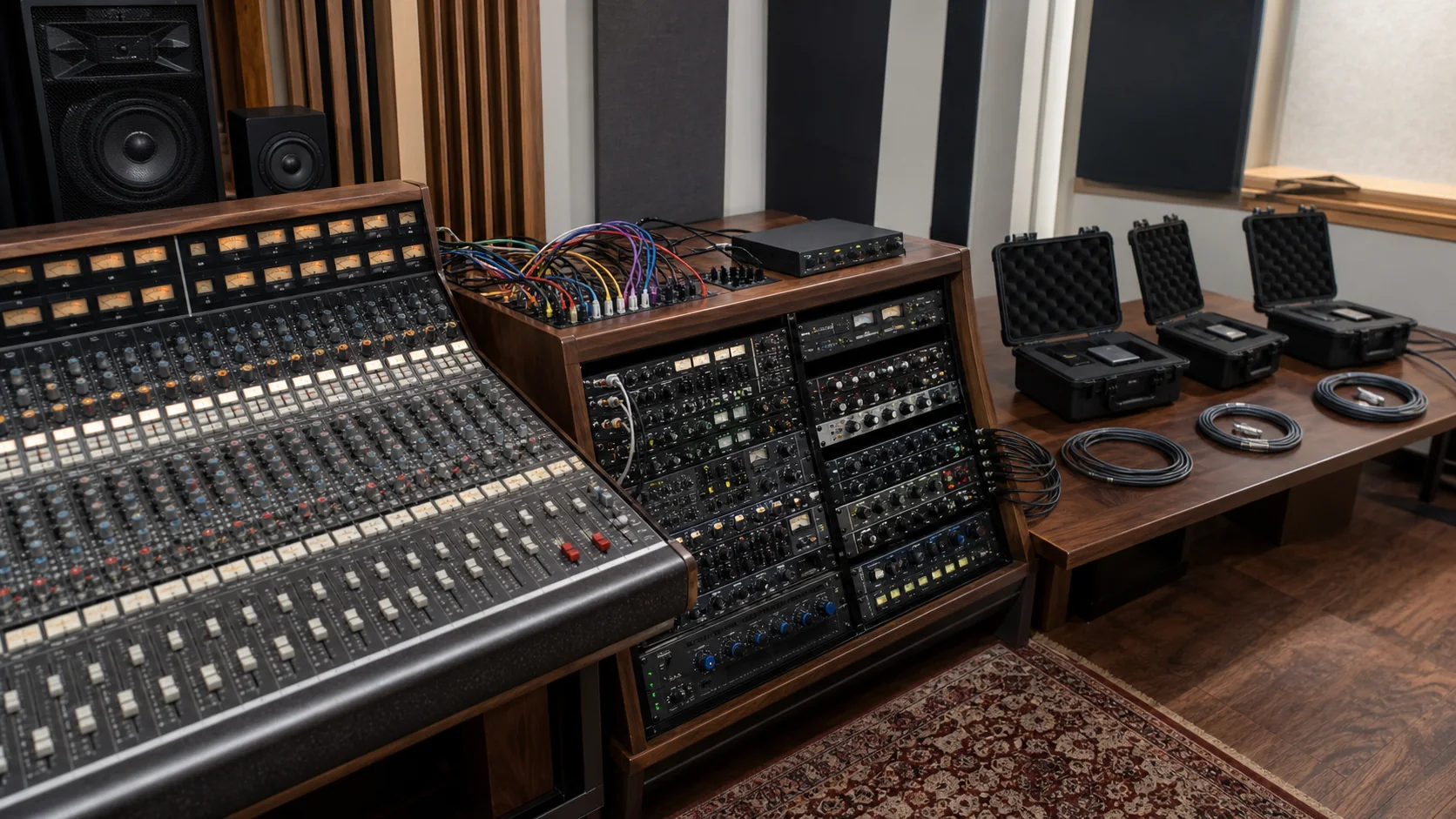
Prepare production files, lossless archives, and listening copies without flattening the folder structure or rebuilding the batch.
FORMAT CONTROL
Start from the format you need, then keep only the controls that make technical sense for it. PCM outputs use sample-rate and bit-depth choices; delivery formats present the encoding options that matter.
FORMAT-AWARE CONTROL
QLAUDIO Workbench filters incompatible combinations before conversion. PCM, lossless, and delivery formats each expose the controls that are technically meaningful for that output.
Keep is resolved from the first audio stream and verified in the finished output.
Keep source metadata with an explicit option to remove it from converted files.
Unsupported output combinations are rejected before a conversion job writes its final file.
Bundled conversion tools are part of the desktop release plan. Platform installers remain subject to packaging and release validation.
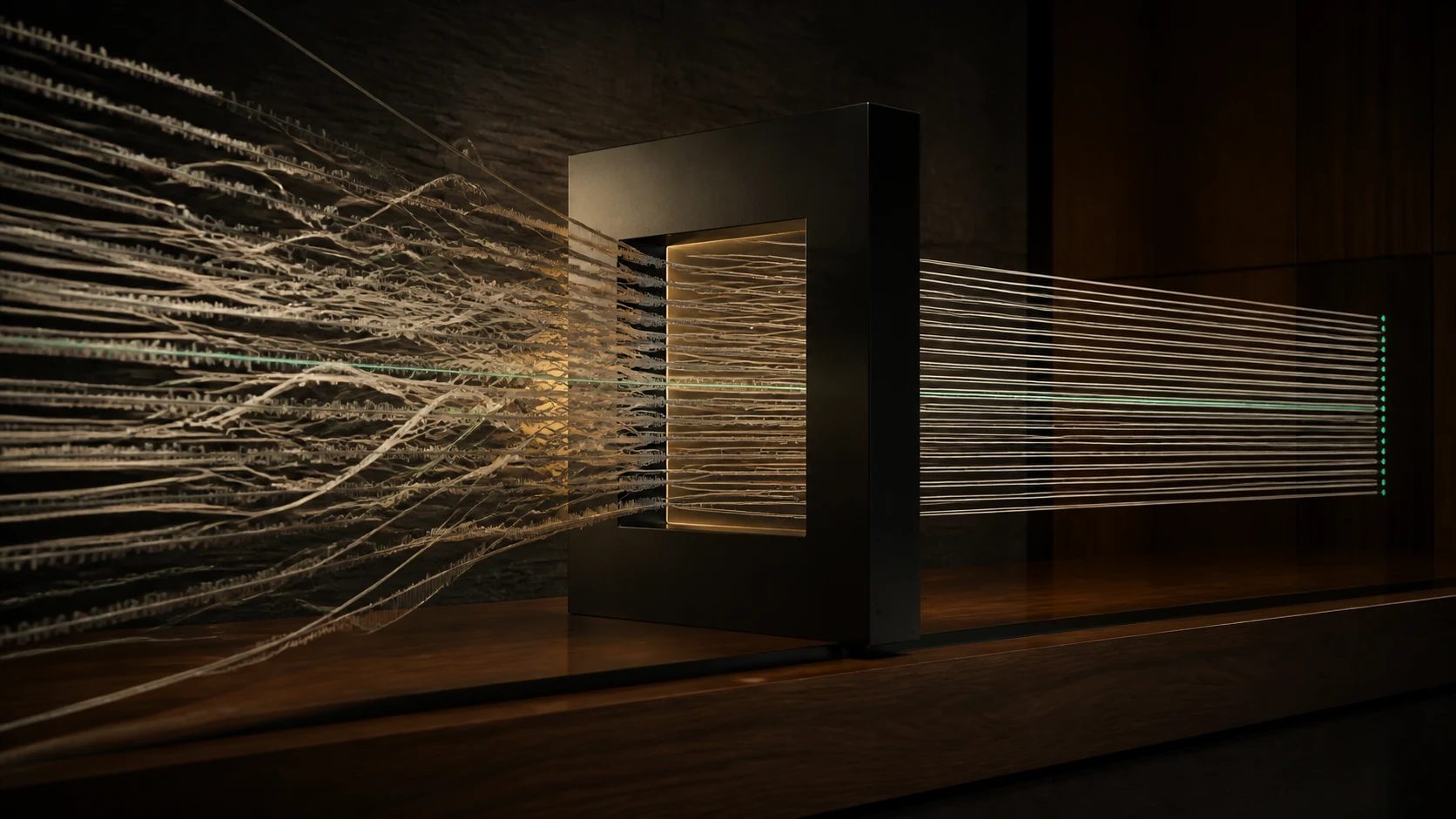
ADVANCED PROCESSING
Define the output rules once, inspect the plan before processing, and keep a precise record of what was actually delivered.
Normalize to a consistent per-file level with Pro. True Peak Normalization is not included.
Standard SWR resampling in Free. Pro adds high-quality resampling options, subject to encoder support.
Auto and Off are included in both tiers. Pro adds advanced dither algorithms for compatible outputs.
Free uses one worker; Pro runs up to eight workers. Actual throughput depends on your hardware, formats and processing settings.
Combine multiple input roots, scan recursively, ignore repeated selections, and preserve Unicode filenames, spaces, and parentheses.
Preserve folder and root names, add a prefix or suffix, and optionally include the output format or selected sample rate.
Reopen a saved session, review interrupted jobs, recover outputs that already passed verification, and retry only the work that still needs attention.
Confirm the finished codec, sample rate, channels, bit depth or bitrate, duration, and before-and-after file size instead of trusting requested settings alone.
Pro exports detailed JSON and CSV reports. Essential diagnostics and session recovery remain included in Free.
Pro duplicate search compares file bytes without deleting or moving source files. It does not detect perceptually similar recordings.
Split by Silence with fades and padding is planned for a future Pro update.
QLAUDIO AUDIO SOFTWARE
QLAUDIO JOURNAL / INSTRUMENT NOTES 01
Two strings.
A continuous voice.
A first look at the Korean bowed instrument, and the expression between one note and the next.
Read the storyAI-generated editorial artwork, not a technical illustration. Visual references: Photo: 서헌강 (2014), National Gugak Center. National Gugak Center Archive, I004916 · KOGL Type 1. Also Haegeum, Korean Instruments collection, photo by 강운구 (1999), National Gugak Center · KOGL Type 1.
MEET THE INSTRUMENT
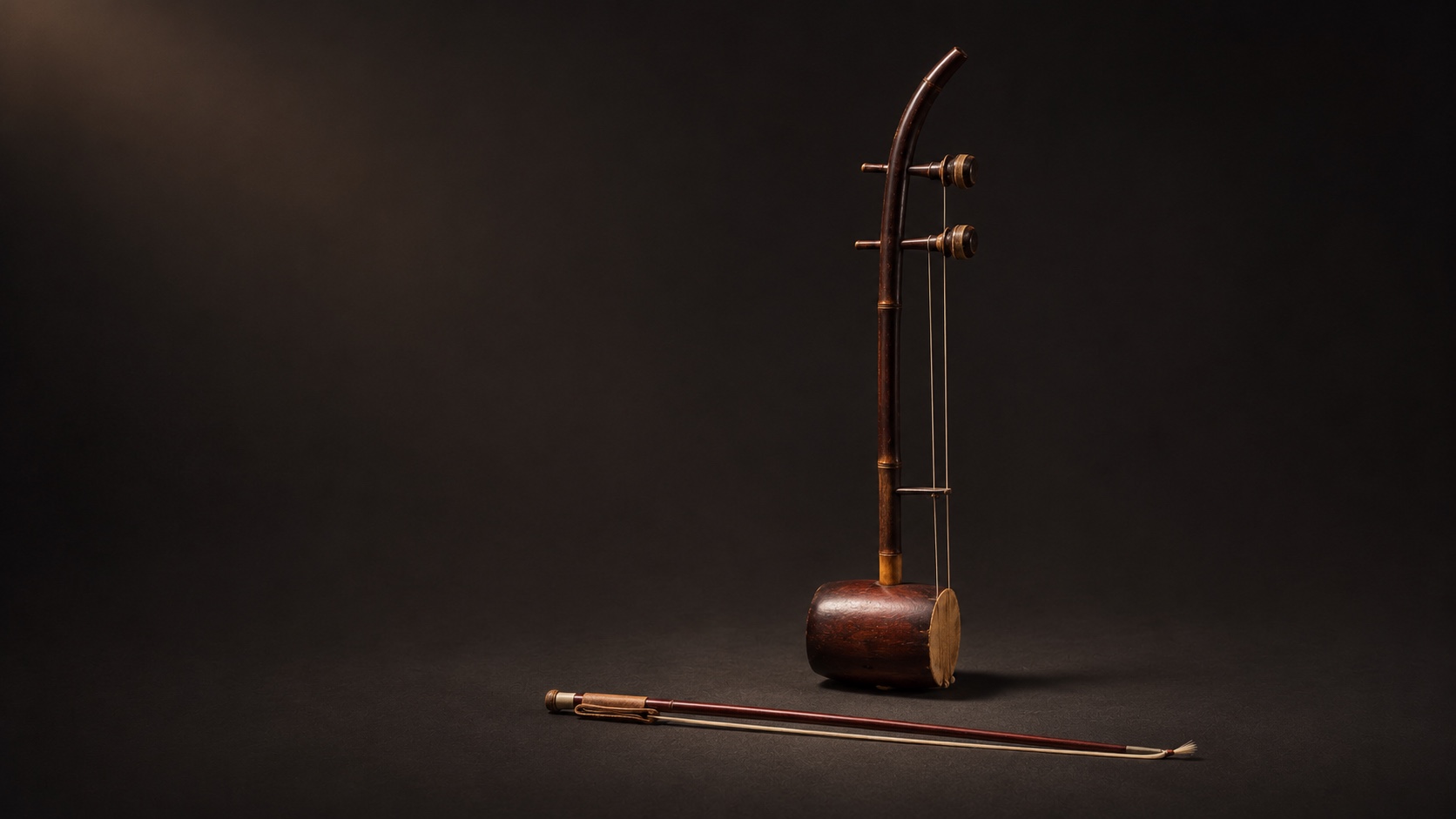
The haegeum is a two-stringed bowed instrument used in Korean music. A slender upright bamboo neck rises from a small cylindrical resonating body. Its traditional strings are made of silk. [1] [2]
Its compact form is only the beginning. To understand the instrument, look at the relationship between the strings, the bow, and the player's hands.
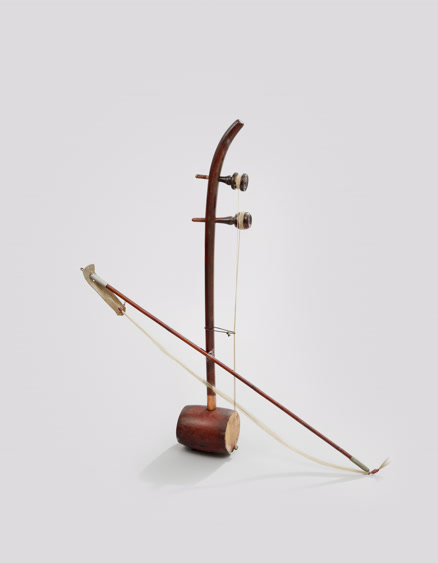
Construction and terminology: National Gugak Center, cross-checked with the Academy of Korean Studies. This photograph shows one instrument, not a specification for every haegeum.
The bow hair passes between the two strings. The player brings it into contact with one string or the other, while the right hand also controls the tension of the bow hair. [3]
Bowing is known as ungungbeop. Changes in bow speed and direction help shape dynamics and tone. On the haegeum, controlling bow-hair tension is part of the right hand's work, rather than just a setting made before playing. [3]
The left hand controls pitch through its contact with the strings. Bowing shapes the sustained sound, dynamics, and phrasing. Together, these actions give the performer ways to shape how a note begins, continues, and connects to the next. [1] [3]
QLAUDIO listening suggestion: follow one sustained note. Notice its entrance, the movement within it, and the moment it gives way to another note. These are editorial listening prompts, not institutional guidance or a single rule for every performer or tradition.
LISTEN TO THE INSTRUMENT
Begin with a short sound example, then hear the haegeum in an orchestral arrangement. [4] [5] The two recordings offer different listening contexts; neither is presented as a demonstration of a specific traditional technique.
Listen for the texture of the bowed sound and the way it moves through the phrase.
Audio is unavailable. Please open the source recording below.
국악기_해금22 (Haegeum 22) · Korea Copyright Commission, 2020. Source recording · CC BY 4.0. Full recording; audio unchanged.
This recording is identified by its publisher as an orchestral arrangement of Arirang featuring haegeum. [5] It is not presented here as an unaccompanied performance or a sanjo example.
Audio is unavailable. Please open the source recording below.
국악연주곡_아리랑 해금연주 오케스트라ver. (Arirang, haegeum with orchestra) · Korea Copyright Commission, 2020. Source recording · CC BY 4.0. Full recording; audio unchanged.
These are independently recorded educational references, not audio demos of Josun Series or any other QLAUDIO product. Their inclusion does not imply an endorsement by the source institutions.
The haegeum appears in court and folk music, as well as contemporary compositions. Sanjo is one of its solo performance contexts. The instrument should not be reduced to one mood or a single style of playing. [1] [2]
The instrument entered Korea during the Goryeo period and became part of court music before spreading widely into folk traditions. [1] Haegeum sanjo developed as a solo context in the twentieth century. [2]
The National Gugak Center lists repertories including Sujecheon, Yeongsan hoesang, Jongmyo jeryeak, sinawi, and sanjo. A bowed string instrument can sustain a line, which helps explain its place alongside wind instruments as well as strings. [1]
SOURCES & FURTHER READING
Written by QLAUDIO from cross-checked factual references; not a reproduction or translation of the dictionary entries. Reference text and illustrations carry their own usage restrictions. The photograph and recordings above are separately credited under KOGL Type 1 and CC BY 4.0. This introduction is not a playing tutorial and has not been reviewed by a haegeum performer; details can vary by instrument and repertoire. Sources and media licences checked on 27 September 2026.
QLAUDIO JOURNAL / PERCUSSION
Four instruments. A shared rhythmic conversation.
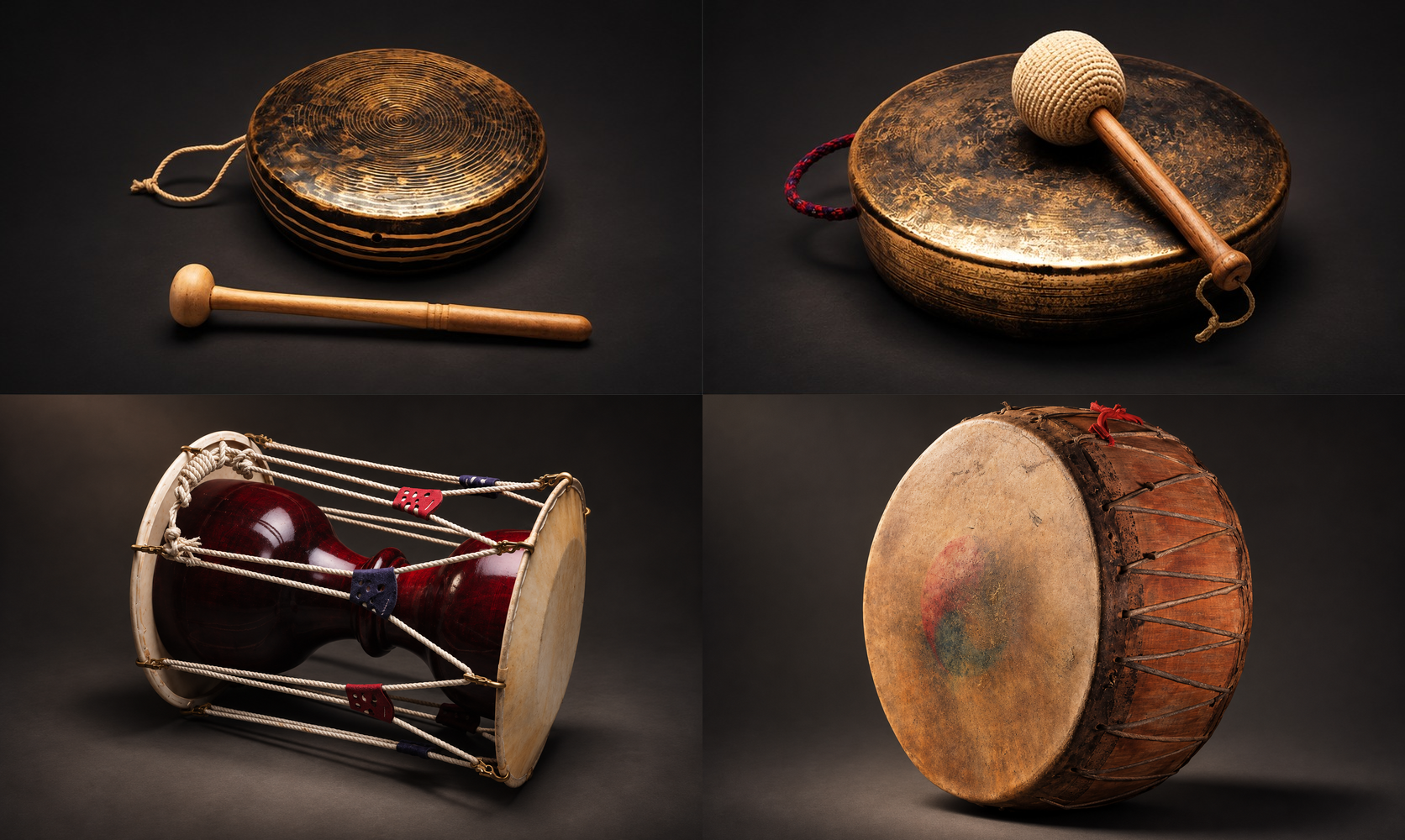
Janggu, buk, jing, and kkwaenggwari, considered individually and together.
Read the story ↓AI-generated editorial artwork, not a technical illustration. Four panels adapted from National Gugak Center photographs by 강운구 (1999): Kkwaenggwari, Jing, Janggu, Nongak buk · KOGL Type 1.
01 / PERCUSSION
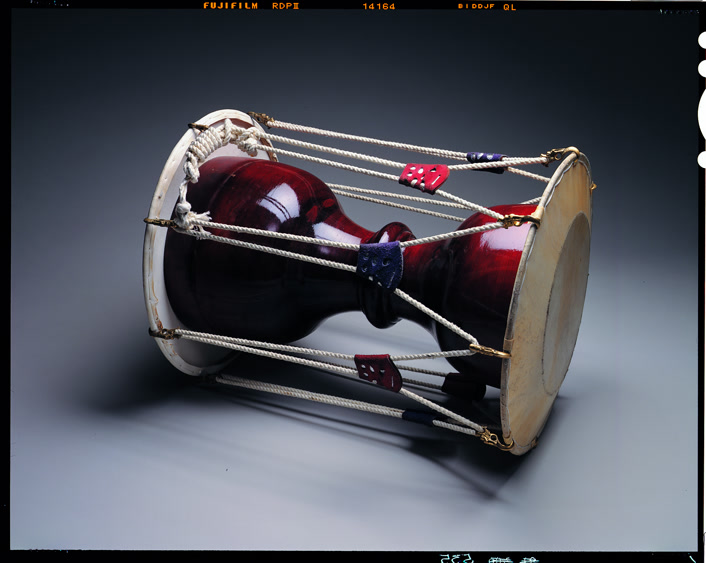
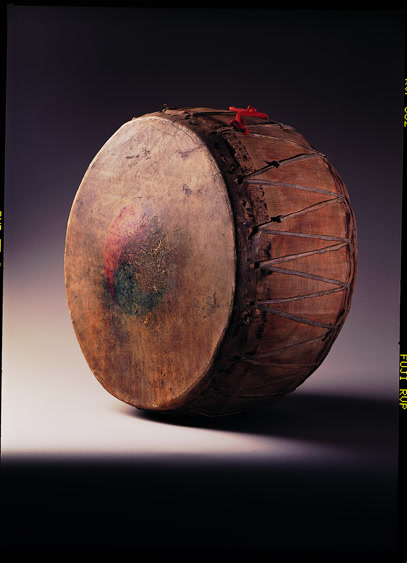
The janggu is an hourglass-shaped drum with a skin head at each end and tensioning cords. Playing methods depend on the musical setting; the instrument is not confined to samulnori. [1]
| Form | Construction | Musical settings |
|---|---|---|
| Janggu | Hourglass body; two skin heads joined by tensioning cords. | Nongak and samulnori; also court, vocal, and other musical settings. [1] |
| Buk | Here, a barrel-shaped drum with two skin heads; the name has wider uses. | Nongak and samulnori; other buk forms serve other repertories. [2] |
| Jing | Large circular metal gong; padded beater. | Nongak, samulnori, and ceremonial settings. [3] |
| Kkwaenggwari | Small hand-held metal gong; wooden beater and damping contact. | Nongak and samulnori; the sangsoe leads in nongak. [4] |
02 / PERCUSSION
Buk is also a broader Korean term for drums. In this four-instrument group, it refers to a barrel-shaped drum with two skin heads. Do not apply that form to every instrument called buk. [2]
03 / PERCUSSION
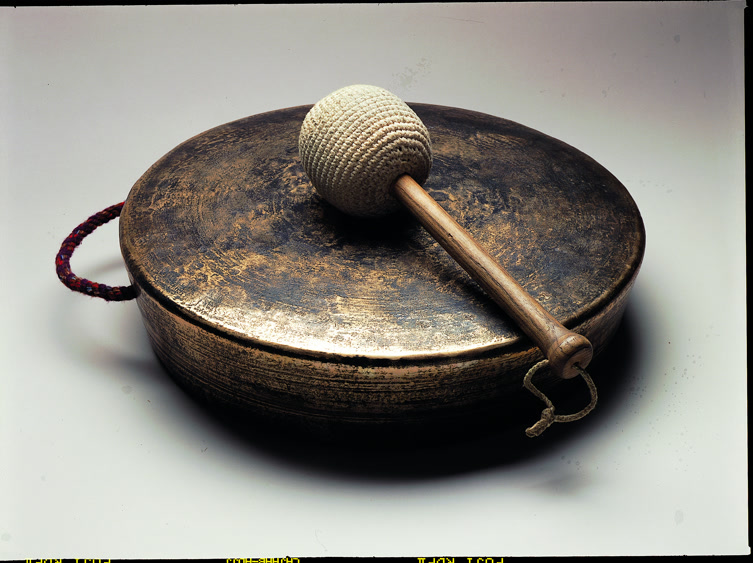
The jing is a large, circular metal gong played with a beater. Its resonance extends beyond the strike. It appears in nongak and samulnori, among other contexts. [3]
04 / PERCUSSION
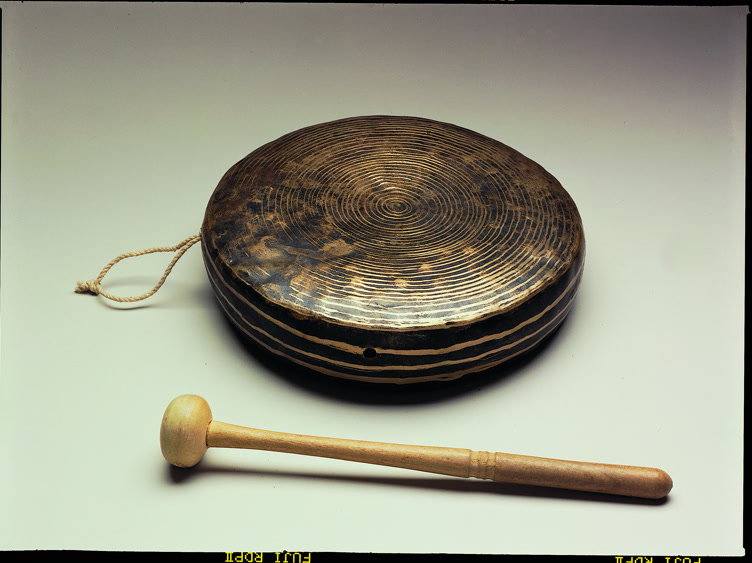
The kkwaenggwari is a small hand-held metal gong. In nongak, the leading gong player, or sangsoe, has an organising role. The four-instrument combination brings these two gongs together with janggu and buk. [4]
05 / PERCUSSION
Jangdan combines rhythmic pattern, tempo, and the distribution of emphasis. Two patterns can have a similar beat structure without sharing a name or musical function. In percussion ensemble music, several cycles can also form a larger phrase. Counting beats is therefore a starting point, not a complete description of the music. [5]
06 / PERCUSSION
Samulnori emerged as a concert-stage form in 1978, drawing on nongak traditions. A Yeongnam-based programme brings contrasting patterns together, including byeoldalgeori with its alternation of playing and spoken rhythm. The stage form foregrounds instrumental interaction; it is not another name for every outdoor nongak performance. [6] [10] [11]
07 / PERCUSSION
The janggu joins two heads through an hourglass body. Players use different beaters or hand combinations according to the setting. Tension is adjusted through the cords and tightening pieces. Describing one head as low and the other as high can help an initial comparison, but it does not replace the repertoire-specific playing method. [1]
08 / PERCUSSION
The kkwaenggwari player can control ringing by contact with the instrument; the jing is struck with a padded beater. The audible result includes how a strike is allowed to continue or is stopped. These are physical playing decisions, not merely different sample lengths. [3] [4]
09 / PERCUSSION
Nongak connects music with communal work, seasonal celebrations, rituals, movement, and dramatic characters. An ensemble can include sogo, wind instruments, flag bearers, and other performers alongside the four familiar percussion instruments. Samulnori brings selected material into a different presentation; four instruments alone do not describe the whole nongak tradition. [7]
10 / PERCUSSION
The National Gugak Center distinguishes regional traditions including Utdari, Honam Udo, Honam Jwado, Yeongnam, and Yeongdong nongak. Their patterns, instrumentation, and movement are not identical. Yeongnam, for example, gives particular prominence to drums and drum dancing. A recording labelled samulnori should not be assumed to represent every region in the same way. [7]
11 / PERCUSSION
Bak identifies a beat; sobak describes its smaller divisions. A cycle of four beats can divide each beat into three parts, or use a different subdivision. Nongak also includes patterns that mix subdivisions. Counting twelve equal units may help with one cycle, but it is not a universal template for Korean percussion. [5]
12 / PERCUSSION
Gutgeori and jajinmori both use a four-beat structure with three subdivisions per beat. Gutgeori is described at a moderate pace, while jajinmori is faster. Their musical identity also depends on accent, pattern, and use. This comparison explains why a beat count is insufficient; it does not assign either jangdan to the short recordings below. [8] [9]
13 / PERCUSSION
In the Yeongnam-based samulnori programme, byeoldalgeori alternates instrumental passages with spoken rhythmic phrases. The National Gugak Center relates it to material from Jinju-Samcheonpo and Geumneung Bitnae nongak. Its quick two-subdivision, four-beat pattern is a concrete contrast to the three-subdivision examples, rather than another name for all fast percussion music. [6]
14 / PERCUSSION
Players can learn and communicate patterns through vocal syllables, or gu-eum. Janggu syllables distinguish strokes, while kkwaenggwari syllables also reflect open and damped sounds. The kkwaenggwari entry notes differences between transmission groups. A syllable spelling is therefore not a universal transcription system, and the published recordings are not labelled gu-eum lessons. [1] [4]
15 / PERCUSSION
The Academy of Korean Studies describes a stage seoljanggo programme in which all four players perform janggu, developed from solo standing performance. It also describes jjakdureum exchanges between two gong players. Samulnori names a performance tradition, not a rule that every passage must use exactly one janggu, one buk, one jing, and one kkwaenggwari. [10]
A LISTENING PERSPECTIVE
Listen for the relationship between a sharp attack and a longer resonance. Then follow the ensemble rather than treating each instrument as a fixed sound-effect label.
This is QLAUDIO's listening suggestion, not a quoted performance rule. No generated or unverified audio is presented as an authentic performance.
Short educational references, not Josun Series product demos or complete repertoire performances. These are separate recordings, not a controlled comparison of tone, tuning, or recording conditions.
Audio is unavailable. Please open the source recording below.
국악기_사물장구8 · Korea Copyright Commission, 2020. Original recording · CC BY 4.0. Audio unchanged.
Audio is unavailable. Please open the source recording below.
국악기_사물북1 · Korea Copyright Commission, 2020. Original recording · CC BY 4.0. Audio unchanged.
Audio is unavailable. Please open the source recording below.
국악기_징4 · Korea Copyright Commission, 2020. Original recording · CC BY 4.0. Audio unchanged.
Audio is unavailable. Please open the source recording below.
국악기_꽹과리1 · Korea Copyright Commission, 2020. Original recording · CC BY 4.0. Audio unchanged.
PERFORMANCE ARCHIVE
The National Gugak Center archive identifies this as the seventh programme item on 26 February 2011: Park Sang-in on kkwaenggwari, Gang Byeong-hyeok on jing and jjaksoe, Nam Gi-mun on janggu, and Yi Dae-won on buk. The linked programme recording provides an ensemble context beyond the individual sound examples.
National Gugak Center performance record →SOURCES & READING
Original introductory writing by QLAUDIO, based on factual references; not a reproduction or translation of the dictionary. Documentary photographs are separately licensed under KOGL Type 1, with attribution beside each image. Dictionary media with non-commercial restrictions are not republished. Hero artwork is AI-assisted and may contain reconstructed details; use the unaltered photographs for structural reference. Construction varies with period, maker, and repertoire. This introduction is not a playing tutorial and has not been reviewed by an instrument specialist. Sources checked 27 September 2026.
QLAUDIO is operated by Gilhan Kim in the Republic of Korea. For personal information processed through QLAUDIO websites, accounts, product delivery, licensing, activation, support, and related services, QLAUDIO determines why and how that information is used and acts as the responsible data controller or personal information controller where applicable.
Business address: 45-7, Huimang-ro 46beon-gil, Asan-si, Chungcheongnam-do, Republic of Korea. Privacy inquiries can be sent to .
This policy does not replace the separate privacy terms of an authorized payment provider or another service that independently determines how it processes information. It also does not limit privacy or consumer rights that cannot lawfully be waived.
We may process your email address, name when supplied through checkout or support, account and customer identifiers, authentication records, and the content of communications you send to us. QLAUDIO uses email for sign-in, purchase and license delivery, security or service notices, and support responses. Purchase or account creation does not subscribe you to marketing emails.
We send QLAUDIO product news, updates, and offers only to people who explicitly opt in and confirm their email address using the link we send. We process your email address and keep records of your consent, confirmation, and any withdrawal to honor your choice.
You can withdraw your consent at any time by turning off Product News & Offers in My Account or using the unsubscribe link in a newsletter. Sign-in and license verification codes, as well as essential purchase, security, service, and support emails, are separate from the newsletter and are not stopped by unsubscribing.
We may receive and store an order reference, product and variant, price, currency, tax or country information made available by the payment provider, order and refund status, purchase email address, delivery status, and related timestamps. Full payment-card numbers and payment credentials are handled by the authorized checkout provider and are not intentionally stored in the QLAUDIO customer database.
To deliver and maintain purchased rights, we may process product ownership, license keys and key suffixes, license status, entitlements, redeem activity, activation limits, pseudonymous device or installation identifiers, activation and deactivation status, certificate and request status, security events, and related timestamps. A device identifier may be derived or hashed to distinguish installations without being intended to reveal the contents of your device.
When you access the website or an online service, hosting and security systems may process IP address, browser and device type, requested URL, referrer, date and time, response status, diagnostic information, and abuse-prevention logs. If you request support, we process the information and files you choose to provide. Do not send passwords, payment-card numbers, private keys, unrelated personal data, or sensitive information.
QLAUDIO desktop audio products are designed to process audio locally unless a product clearly states otherwise. Normal use of QLAUDIO Workbench's desktop conversion workflow does not upload source audio files to QLAUDIO. Audio may be received only if you intentionally provide it for support or through a separately disclosed online feature.
We process information only for identified and reasonably necessary purposes, including:
Depending on your location and the activity involved, our legal basis may be performance of a contract, compliance with a legal obligation, QLAUDIO's legitimate interests in security and reliable service delivery, or consent. Where processing relies on consent, you may withdraw it for future processing without affecting processing that was lawful before withdrawal.
We do not sell personal information for monetary consideration. We do not use license keys, support content, or source audio files for unrelated advertising profiles.
Purchases may be processed by Lemon Squeezy as merchant of record or by another authorized provider identified at checkout. The payment provider processes payment credentials, tax, fraud checks, refunds, chargebacks, and other checkout information under its own privacy notice. QLAUDIO receives the order and customer information reasonably required to confirm payment, deliver the product, maintain the license, provide support, and meet legal obligations.
Do not send payment-card information to QLAUDIO by email. Questions about a provider's collection of payment information should also be reviewed under the privacy notice shown during checkout.
QLAUDIO uses a limited number of providers to operate the service. They may process only the information reasonably required for their function, subject to their contracts, security measures, privacy terms, and applicable law.
Although QLAUDIO is based in the Republic of Korea and the primary Production database is configured in Seoul, some providers and their subprocessors operate in the United States and other jurisdictions. Information may therefore be processed outside your country. Where required, QLAUDIO relies on applicable contracts, data-processing terms, access controls, and legally recognized transfer safeguards. We will update this policy if a material change affects how or where customer information is processed.
We do not keep every category of information for the same period. We retain information only while it is reasonably necessary for the purpose described in this policy, to maintain a valid product right, or to meet legal, security, accounting, dispute, and fraud-prevention obligations.
When a retention period ends, information is deleted, anonymized, or isolated from ordinary use. Residual copies may remain temporarily in restricted backups until the provider's normal backup cycle expires. Information may be retained longer where required by law, a payment dispute, fraud investigation, security incident, or the establishment, exercise, or defense of legal claims.
Depending on applicable law, you may request access to personal information about you, correction of inaccurate information, deletion, restriction, objection, portability, or withdrawal of consent. Send a request from the email associated with the account to . We may request limited information to verify your identity and authority before acting on the request.
Deletion is not absolute. QLAUDIO may retain the minimum information necessary to comply with law, document a transaction or refund, preserve a valid license or product right, prevent fraud, enforce agreements, or resolve a claim. Information retained for a legal exception will be restricted from unrelated use.
Deleting account-identifying information may prevent email code sign-in, My Account access, downloads, activation management, or ownership recovery. Before completing a deletion that would affect an active or perpetual license, we will explain the practical effect and, where reasonably available, discuss an alternative such as changing the account email or retaining a minimal ownership record.
You may also complain to the privacy or data-protection authority responsible for your location. In the Republic of Korea, privacy complaints may be directed to the Personal Information Infringement Report Center at 118 or the Personal Information Protection Commission.
QLAUDIO products and services are intended for music creators and general audiences and are not directed to children under 14, or a higher minimum age where required by applicable law. We do not knowingly request personal information from a child who cannot lawfully provide it without a parent or legal guardian.
If we learn that a child's information was collected in circumstances requiring parental or guardian authorization, we will take reasonable steps to delete it or obtain the required authorization. A parent or guardian may contact . Minors should obtain any consent required by local law before making a purchase.
QLAUDIO uses reasonable administrative and technical measures intended to limit access, protect credentials, verify requests, separate public and privileged operations, and reduce unnecessary collection. Service providers are selected in part for their security and data-protection controls. No internet service or storage system can guarantee absolute security.
Never send QLAUDIO your account password, full payment-card number, private signing key, activation secret, or unrelated sensitive information. If you believe your account, email, license, or personal information has been compromised, contact us promptly.
We may update this policy when products, providers, legal requirements, or processing practices change. The latest version will remain available on this page with its update date. If a change materially affects how existing customer information is used, we will provide additional notice where reasonably possible or legally required.
QLAUDIO
Representative and privacy contact: Gilhan Kim
45-7, Huimang-ro 46beon-gil, Asan-si, Chungcheongnam-do, Republic of Korea
These Terms of Use govern access to the QLAUDIO website, accounts, support services, and Digital Products made available by QLAUDIO or through an authorized checkout. By using the website, creating an account, downloading a product, redeeming a code, or completing a purchase, you agree to these Terms.
Digital Products include software, audio plug-ins, virtual instruments, sound libraries, sample packs, standalone desktop applications, updates, documentation, and related electronically delivered content.
If you do not agree with these Terms, do not purchase, download, install, activate, or use a Digital Product. Nothing in these Terms limits a consumer right that cannot lawfully be excluded, waived, or restricted.
Before purchase, review the applicable product page, including supported operating systems, processors, plug-in formats, DAWs or hosts, required third-party software, included content, features, limitations, and system requirements.
Product demonstrations, screenshots, audio examples, documentation, trial builds, and free versions are provided to help evaluate suitability where available. Contact QLAUDIO before purchase if you need help determining whether a product is appropriate for your system or workflow.
QLAUDIO may improve or update products over time. An update will not intentionally remove a perpetual right already granted for the purchased major version, but future major versions, services, or content may be offered separately.
Prices, currencies, taxes, discounts, and the payment provider applicable to an order are shown at checkout. Purchases may be processed by Lemon Squeezy as merchant of record or by another authorized provider identified during checkout.
The payment provider may apply its own checkout, tax, fraud-prevention, refund, chargeback, and payment-processing terms. Those provider terms apply to payment processing in addition to these Terms, subject to applicable law.
An order is complete only after payment is successfully authorized and the order is accepted. QLAUDIO may cancel or review an order affected by fraud, payment error, pricing error, sanctions restrictions, or unauthorized activity.
Digital supply may begin when a download is made available, a license key is issued, account access is granted, a redeem code is accepted, or license activation is completed. Keep the purchase email address accessible because account and delivery access may depend on it.
Unless a product page or separate license states otherwise, a purchase grants the purchaser a limited, non-exclusive, non-transferable right to install and use the Digital Product for personal or professional creative work. The Digital Product itself is licensed, not sold.
You must not share, sell, sublicense, distribute, publish, upload, copy for another person, circumvent license controls, reverse engineer except where law expressly permits, or install a personal license in a public environment available to unspecified users.
You are responsible for maintaining the security of your account, email access, license keys, redeem codes, and activated devices. Contact QLAUDIO promptly if you believe access has been compromised.
REFUNDS AND DIGITAL PRODUCTS
Digital Products are supplied electronically. Where applicable law allows, cancellation or withdrawal rights may be limited after digital supply has begun. QLAUDIO does not use this policy to exclude any statutory right that cannot lawfully be waived or restricted.
To the extent permitted by applicable law, a discretionary refund will not normally be provided after digital supply has begun for:
QLAUDIO will investigate a duplicate payment or payment-processing error, failure to provide the purchased product or access, a material difference from the contractual product description, a confirmed material defect that prevents normal use and cannot reasonably be resolved, and any case where a remedy is required by applicable law or a binding payment-provider policy.
For a technical issue, QLAUDIO may request the product version, operating system, DAW or host version, error message, crash report, and reproducible steps. Where lawful and reasonable, QLAUDIO may first offer troubleshooting, a fix, or a replacement build. This process does not limit or unreasonably delay a mandatory consumer remedy.
Email with the order number or receipt, purchase email address, product name, a concise description of the issue, and any information reasonably needed to investigate it. Do not send payment-card numbers, passwords, private keys, or unrelated sensitive information.
If a refund is approved, associated order rights, downloads, licenses, activations, account entitlements, and other product access may be cancelled or deactivated. A refunded Digital Product must not continue to be used, copied, distributed, or activated.
Refund timing and the amount returned may depend on the original payment method, payment provider, taxes, fees, and applicable law. Lemon Squeezy or another authorized payment provider may also process refunds or chargebacks under its own policies.
A product sold and priced as one bundle is one purchase item. QLAUDIO does not normally provide a discretionary partial refund for selected components after supply has begun, without affecting any non-excludable right that applies to the bundle or an undelivered portion.
Customers should contact QLAUDIO first when possible so the issue can be reviewed. Customers remain free to use an available payment-provider or card-issuer dispute process.
QLAUDIO aims to provide reasonable installation, account, delivery, and technical support for supported product versions. Support does not include configuring unrelated third-party systems or guaranteeing compatibility not stated on the product page.
Website, account, download, or activation services may occasionally be interrupted for maintenance, security, provider outages, or circumstances outside reasonable control. QLAUDIO will take reasonable steps to restore affected services.
QLAUDIO and its licensors retain all intellectual-property rights in the website, software, interfaces, recordings, samples, documentation, branding, and other protected materials. No ownership transfers except for rights expressly granted in a product license.
You must not interfere with the website or services, probe security controls, automate abusive requests, distribute malicious code, impersonate another person, use stolen payment information, or use QLAUDIO services in violation of law.
To the maximum extent permitted by applicable law, QLAUDIO products and services are provided on an "as available" basis and without warranties beyond those expressly stated or legally required. QLAUDIO does not guarantee that every product will meet every creative preference or operate with unstated hardware or third-party software.
To the maximum extent permitted by applicable law, QLAUDIO will not be liable for indirect, incidental, special, or consequential loss, loss of profits, or loss of data arising from use of a product or service. Nothing in these Terms excludes liability or remedies that cannot lawfully be excluded or limited.
Maintain independent backups of projects, source recordings, presets, account information, and other important data before installing or using software.
QLAUDIO may suspend or terminate access where reasonably necessary to address fraud, unauthorized sharing, payment reversal, security risk, material breach of these Terms, or legal requirements. Where appropriate, QLAUDIO will provide notice and an opportunity to resolve the issue.
These Terms may be updated for future use and purchases. The version presented at the time of purchase applies to that order unless mandatory law requires a different result. Material changes will be identified by a revised update date.
Questions about these Terms, an order, delivery, licensing, or a refund review can be sent to .